Scalable by Design:
Reimagining a Magazine Homepage for a Growing Audience
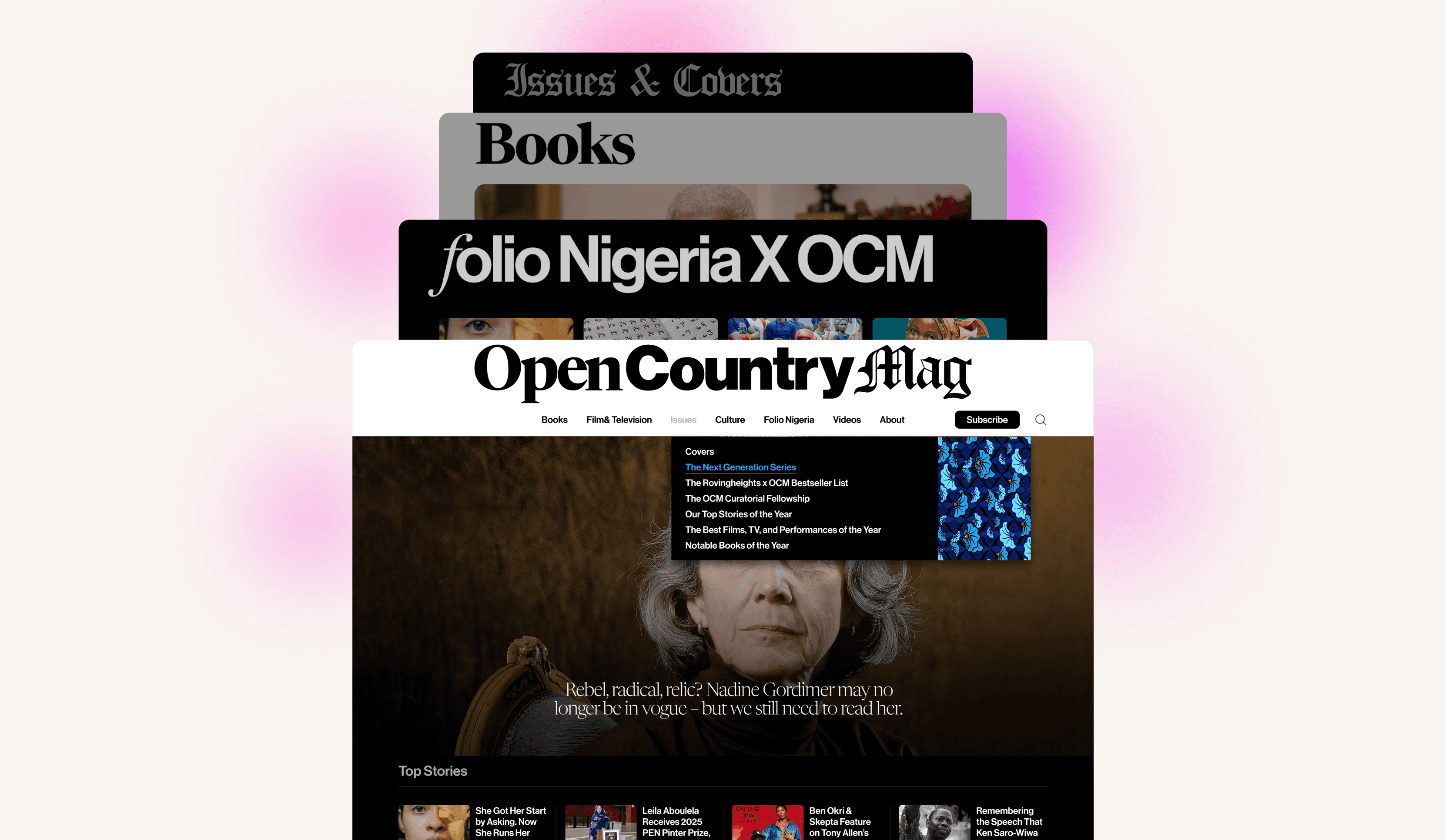
This case study shares my role as the sole UX designer at a digital publishing start-up, where I redesigned an underperforming digital magazine website into a scalable platform for its growing audience. It highlights tools and processes applied to improve engagement and expand readership through the redesign of Open Country Mag homepage.
02. ROLE
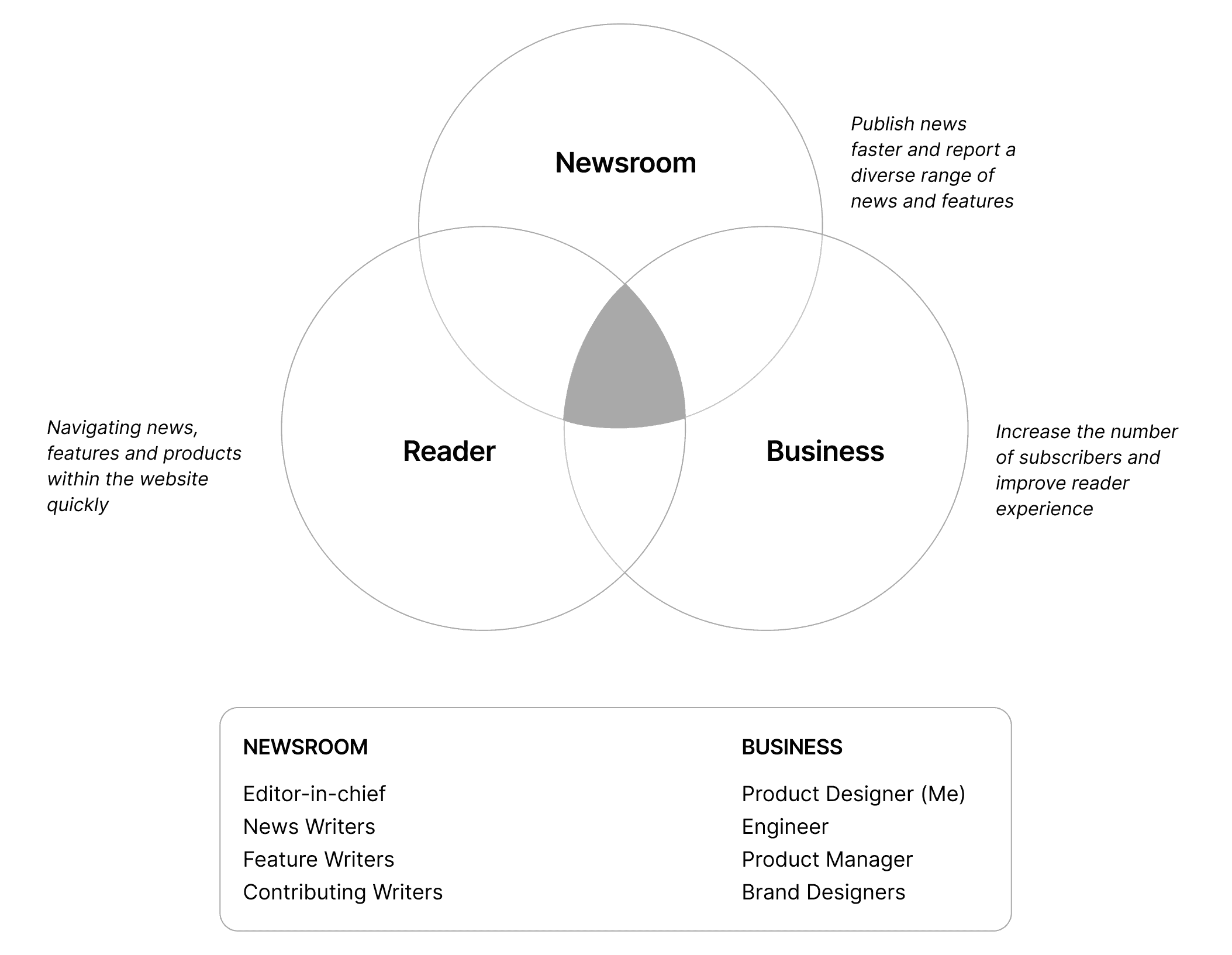
With experience in tech-driven environments, I brought my skills into the media space, a sector not usually considered tech-focused. As the sole UX/UI designer on the project, I adapted quickly, working alongside developers, editors, journalists, and product owners to deliver impact within a short timeframe (4 months).
My Role Beyond UX Design
03. KEY CHALLENGES
Complexity Made Simple
The Open Country Mag site needed a design that supported audience growth. Achieving this meant balancing reader interests and business goals while focusing on the most impactful opportunities.
Challenge
The Open Country Mag website relied on an outdated, text-heavy design that limited audience engagement and growth potential.
How I Approached It:
Redesigning an Outdated, Text-Heavy System – Simplify and modernize layout to improve user experience and conversion.
Scaling the Platform – Build a scalable system to support readership growth.
Solution
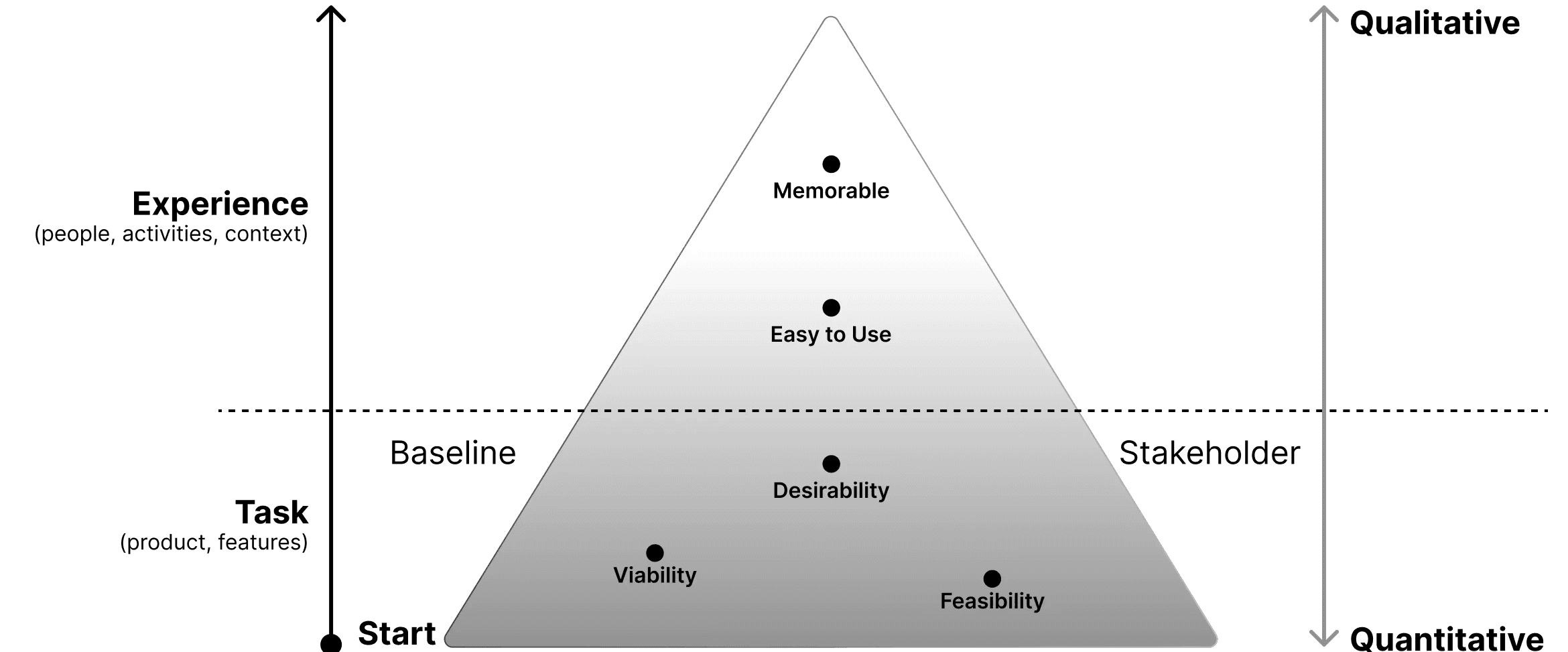
The project had a broad scope and tight timeline, so I adopted a UX Prioritisation Model to help focus and identify the most impactful tasks.
Key Solutions and Task:
Ranked Tasks by Scorecards – Prioritised work using desirability, feasibility, and viability criteria.
Set Core Benchmarks – Defined essential requirements to cover user and business needs.
UX Prioritization Model
A Million Voices,
One Mission
Collaborating across multiple departments and balancing diverse stakeholder needs presented its own set of challenges, particularly in aligning priorities and ensuring every voice was meaningfully represented in the design process.
Challenge
Design approval required input from multiple groups — editorial, product owners, and design teams.
Different perspectives added complexity, making alignment difficult.
Adapting to a New Industry – Learn the media ecosystem, analyse competitor sites rapidly to design with context.
Solution
Created clear design principles to reduce unnecessary back-and-forth and guide decision-making.
Ensured stakeholders gained value with minimal effort by focusing discussions on what mattered most.
Quick Industry Research – Study the media ecosystem, competitors, and best practices to inform design decisions.
Stakeholder Management Principles
Clarity of Communication: Ensure all updates, design decisions, and trade-offs are communicated in simple and transparent language to reduces misunderstandings.
Expectation Alignment: Define timelines, deliverables, and project limitations early in the process. It manages stakeholder assumptions, and ensures smoother project execution.
Prioritisation of Value: Focus discussions and decisions on tasks that deliver the greatest user and business impact. Prioritise tasks by impact using frameworks like MoSCoW.
Use tools wisely: Select the right method for each situation—emails for updates, one-on-one chats for detailed discussions, and group meetings for alignment.
Show, don't tell: Back design choices with evidence from user research and user-testing. Incorporating examples or case studies helps make decisions more persuasive.
Build strong relationships: Connect with key decision-makers and leveraging their support to help resolve conflicts when needed.
04. PROCESS
Shaping Systems,
Not Just Screens
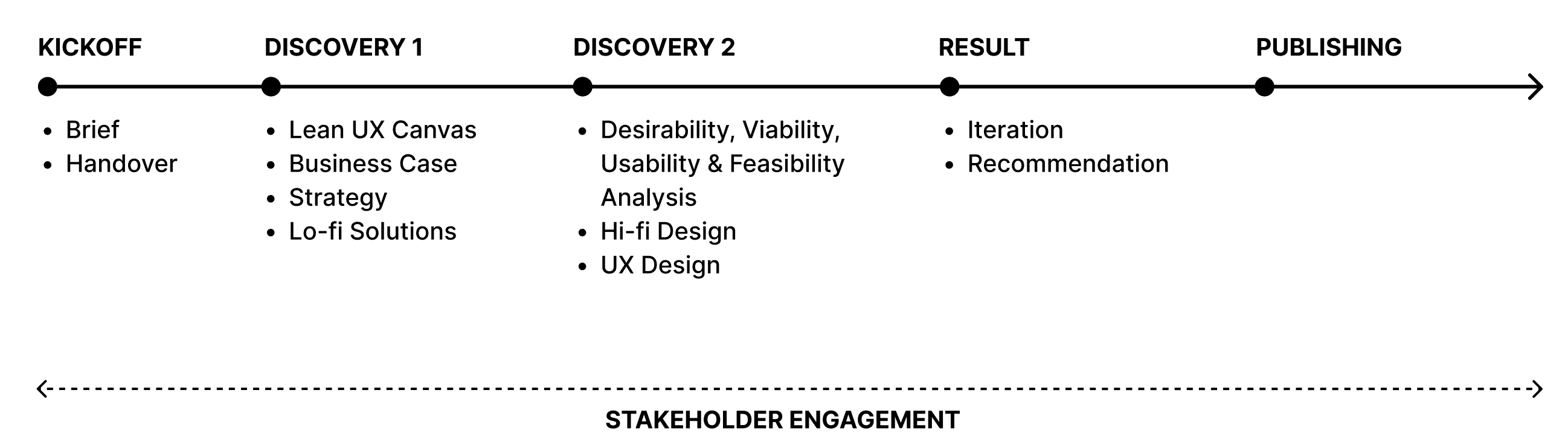
Real solutions aren’t just about design—they come from smarter use of resources. By rethinking our approach, I uncovered process changes that sped up progress and made the work more efficient.
Process Overview
Challenge
Remote Collaboration Gaps: With development and data analytics outsourced, coordinating across multiple remote teams was a challenge.
Workload & Iteration: Managing all UX tasks alone meant juggling priorities while still iterating designs with limited user testing and stakeholder feedback.
Collaboration Gaps: The workflow between design and development lacked alignment, causing repeated QA fixes and slowing down delivery.
Solution
Discovery Sprint: Adapted Design Sprint into a remote-friendly format.
Deep Work + Iteration: Organized focused work blocks and adopted iterative design cycles, gathering feedback regularly from stakeholders and limited user testing.
Unified Design System: Introduced design tokens to standardize components, reduce inconsistencies, and minimize rework across teams.
Payoff
Stronger Collaboration: Multiple teams worked in sync despite remote constraints, cutting misalignment and rework.
User-Centred Outcomes: Delivered a design that resonated with readers, aligned with the company’s vision, and ensured steady progress.
Prioritize What Matters: Focused on features that most impact the user experience, ensuring maximum value with limited resources.
05. DESIGN DISCOVERY
In this phase, I focused on the core needs of the reader. By prioritising the MVP, I was able to stay aligned with what mattered most. The methods below were used to gather insights and inform key design decisions.
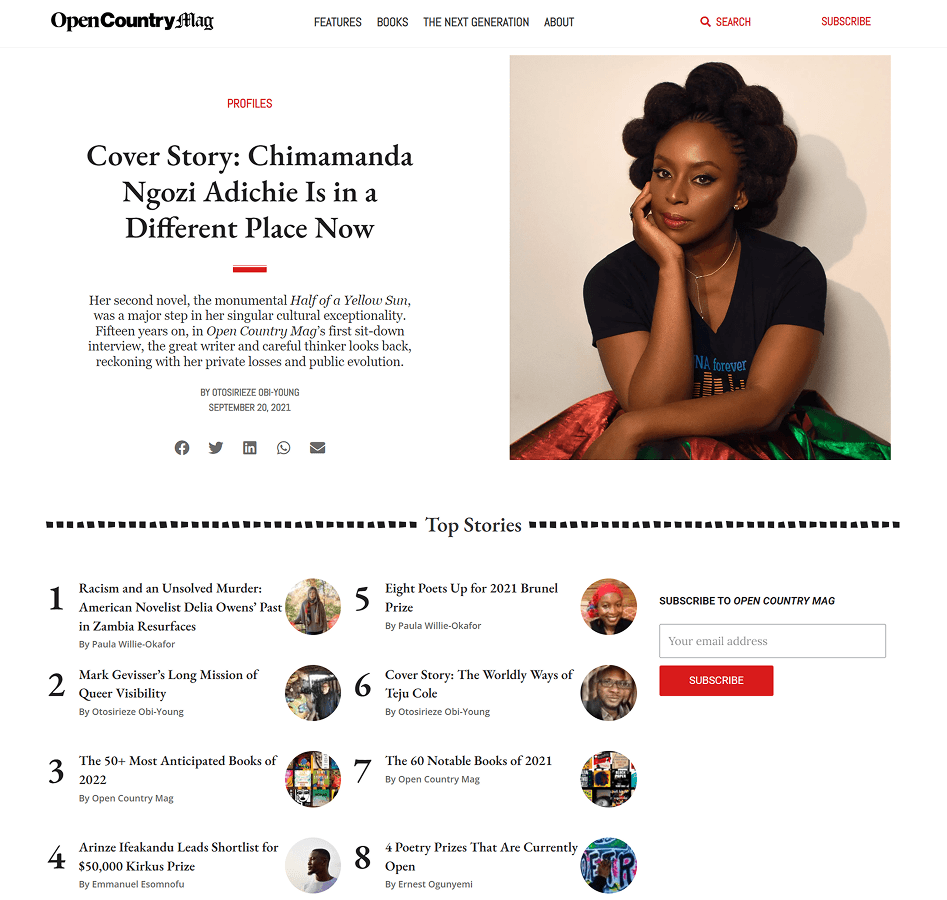
UX Outcome
Research, Key Insights, Opportunities, UX Strategy
Research
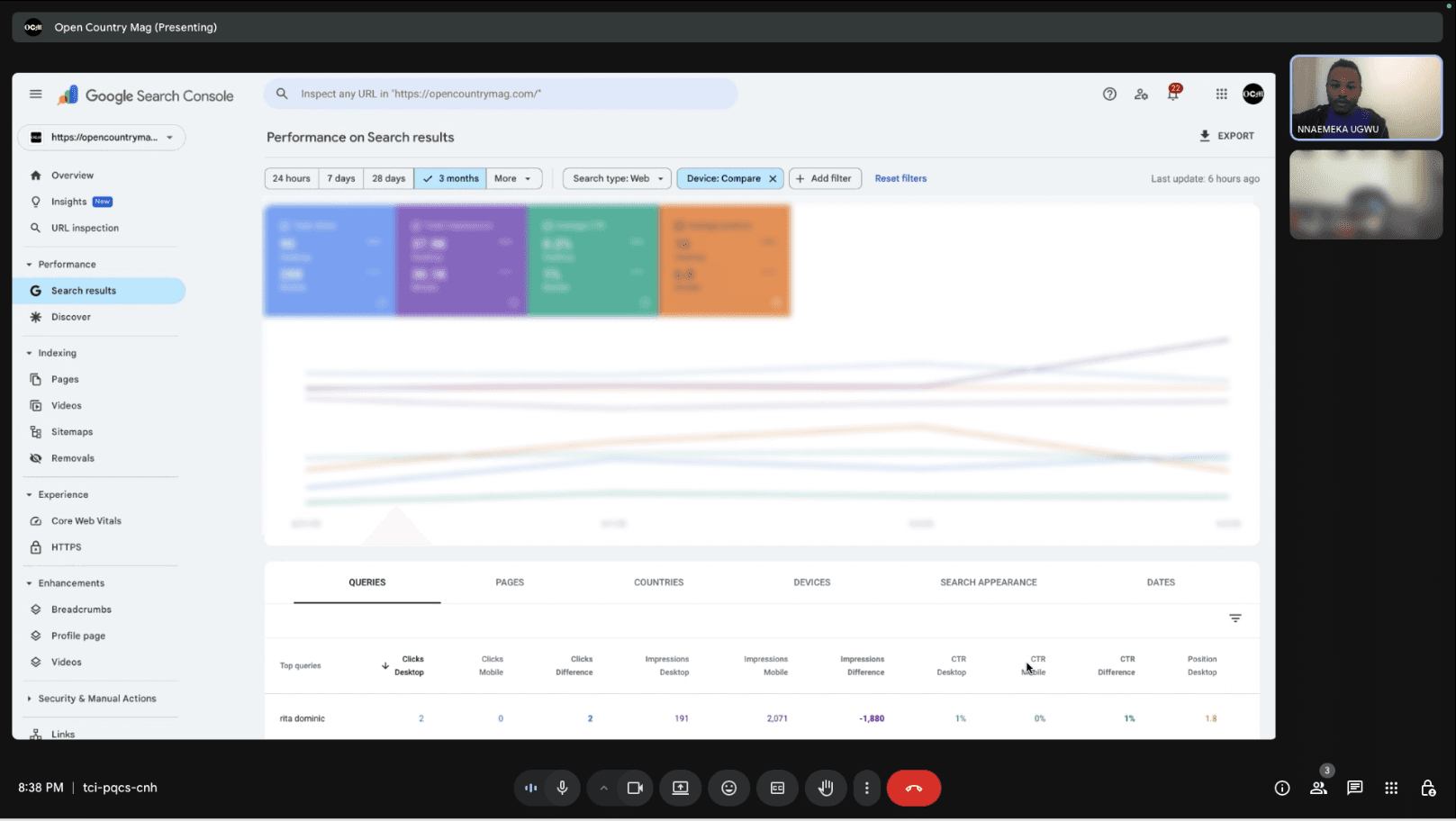
Quantitative Analysis:
Traffic sources
Bounce rates
Conversion rates
Qualitative Research:
9 user interviews
2 usability testing sessions
Competitive analysis
Contextual Inquiry:
Observed users using the website
Meetings with leadership to discuss unmet needs

Key Insights
Navigation & Discovery Problems
52% couldn’t find a feature story in 10 seconds due to all features, and opinion pieces blending together, confusing readers.
Content Layout & Engagement
Only 8% clicked on videos despite having value.
Limited Personalization & Retention
63% of returning users reported content didn’t match their interests.
Opportunities
Navigation Confusion
Improve the site’s information architecture and visual hierarchy so readers can quickly understand categories, find relevant stories within the homepage.
Engagement Drop-Off
Introduce a more structured homepage with strong multimedia elements and modular content blocks to encourage deeper scrolling, higher interaction, and improved story discovery.
Limited Personalization & Retention
Implement personalised content modules—such as interest-based sections, or location-aware highlights—to increase engagement, and strengthen user retention.
UX Strategy
Small Choices, Big Impact
In editorial design, it's often the small UI decisions that make all the difference. Elements like typography, hierarchy, and content play crucial roles in how users interpret information.
Applying Hick’s Law by keeping interactions simple makes content more scannable and encourages natural exploration. This leads to deeper scrolling, and higher interaction rates— driving subscriptions.
Pathways, Not Puzzles
06. DESIGN ENHANCEMENT
Our aim was to develop ideas that improved the customer experience while revealing new business opportunities. I pushed each research insight to its limits to explore a wide range of possibilities. After several rounds of collaboration with stakeholders, we aligned on the priority – delivering clear, concise, and reliable designs as quickly as possible.
UX Outcome
UX Psychology Toolkit
Lo-Fi Design Concepts
UX Design Pattern
Extended Design Exploration
I compiled essential UX psychology principles to guide my work, helping me make informed design choices that benefit users.
Navigation Difficulty
Hick’s Law
Simplify the nav structure so readers find key sections faster.
Visual Hierarchy
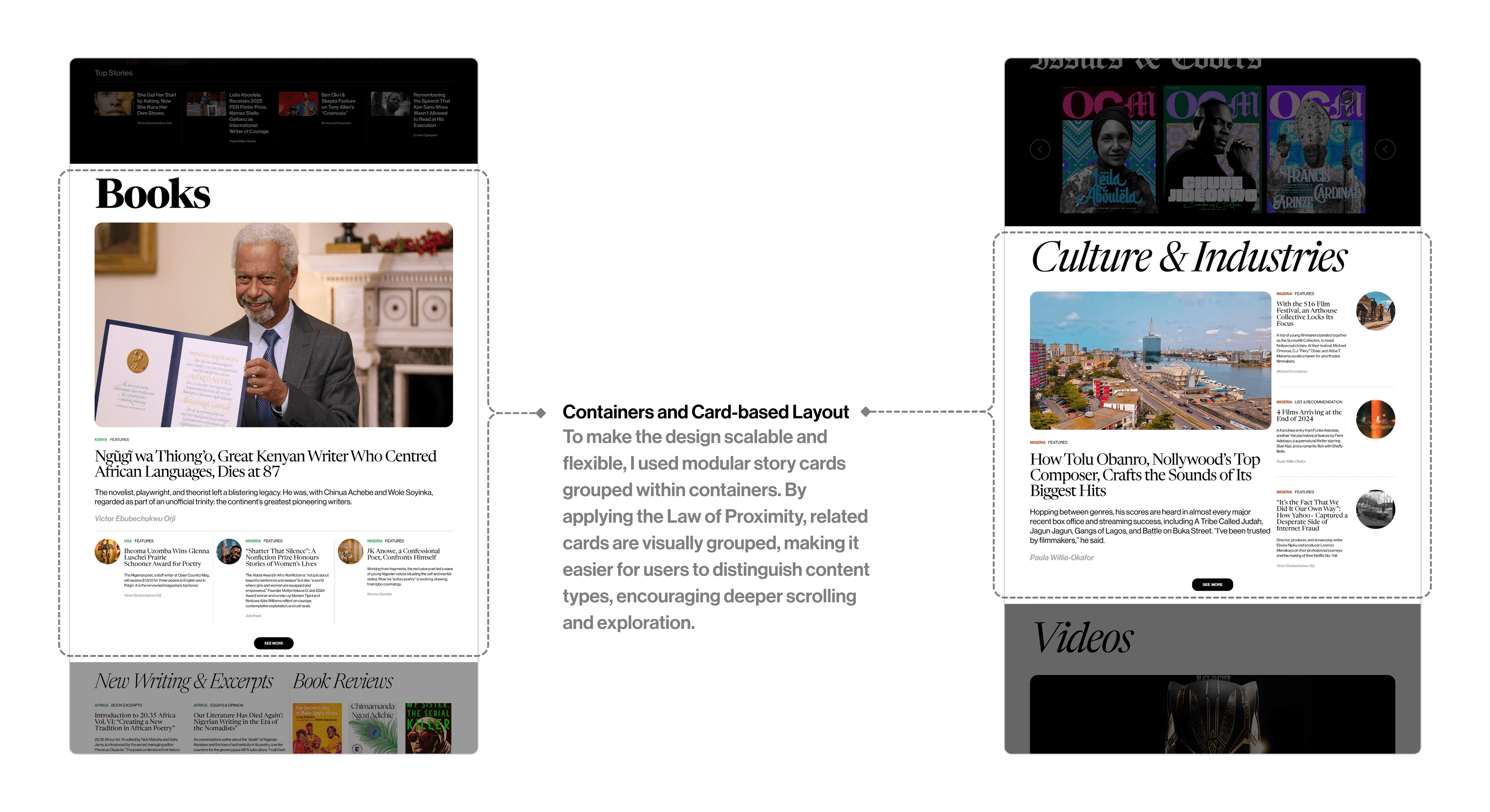
Design structured homepage blocks (Books, Culture) that grouped similar stories together
Low Engagement
Von Restorff Effect
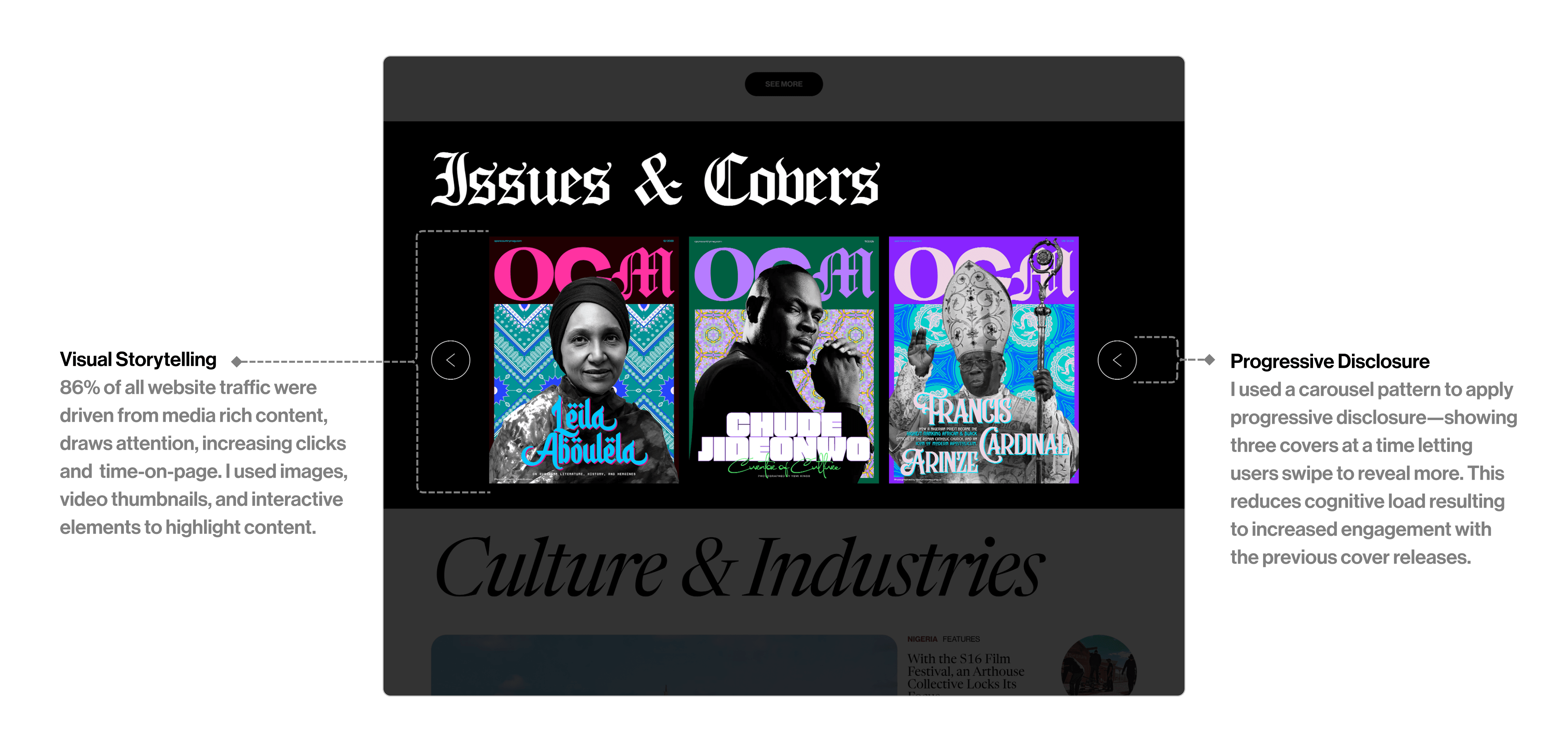
Add bold visuals to make key stories stand out and earn more clicks
F-Pattern Scanning
Introduced modular cards that encourage scanning and deeper scrolling.
Limited Personalization & Retention
Jakob’s Law
Designed familiar patterns (e.g., continue reading) to match user expectations from similar news sites.
Peak–End Rule
Prioritised high-value stories in key homepage zones to increase return visits and impressions
Expansion & Growth
Modular Design Principle
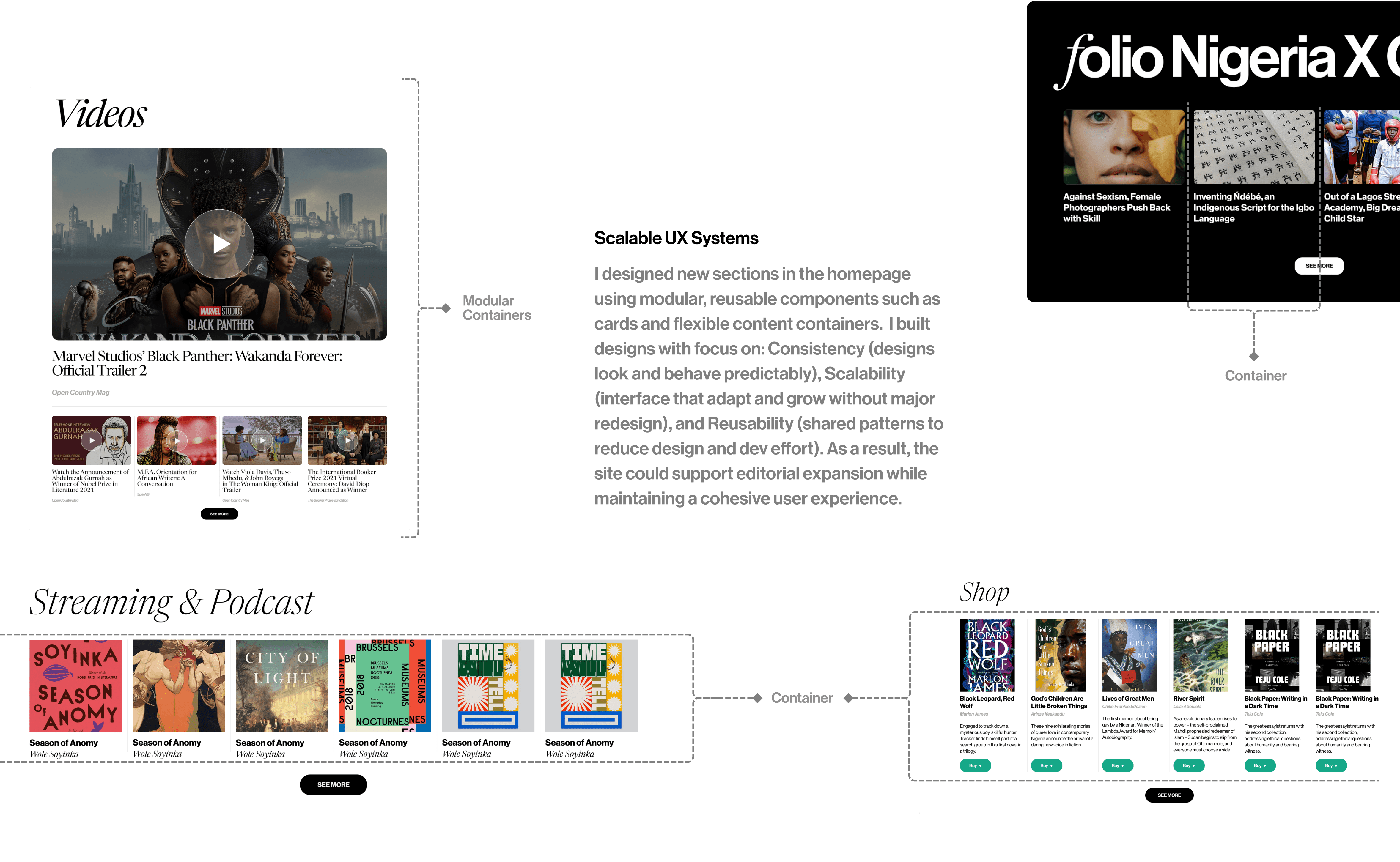
Built a flexible card-based system so new sections like Culture, Media, and Podcasts could be added seamlessly.
Interface Harmony
Used consistent templates and layouts so new content areas fit naturally into the homepage.
UX design patterns provide scalable, repeatable solutions that help news platforms grow. By using flexible layouts and navigation patterns, we can easily introduce new sections—like Media or Culture—while still helping readers find what they care about quickly, engage more deeply, and support long-term audience growth.
Navigation & Discovery
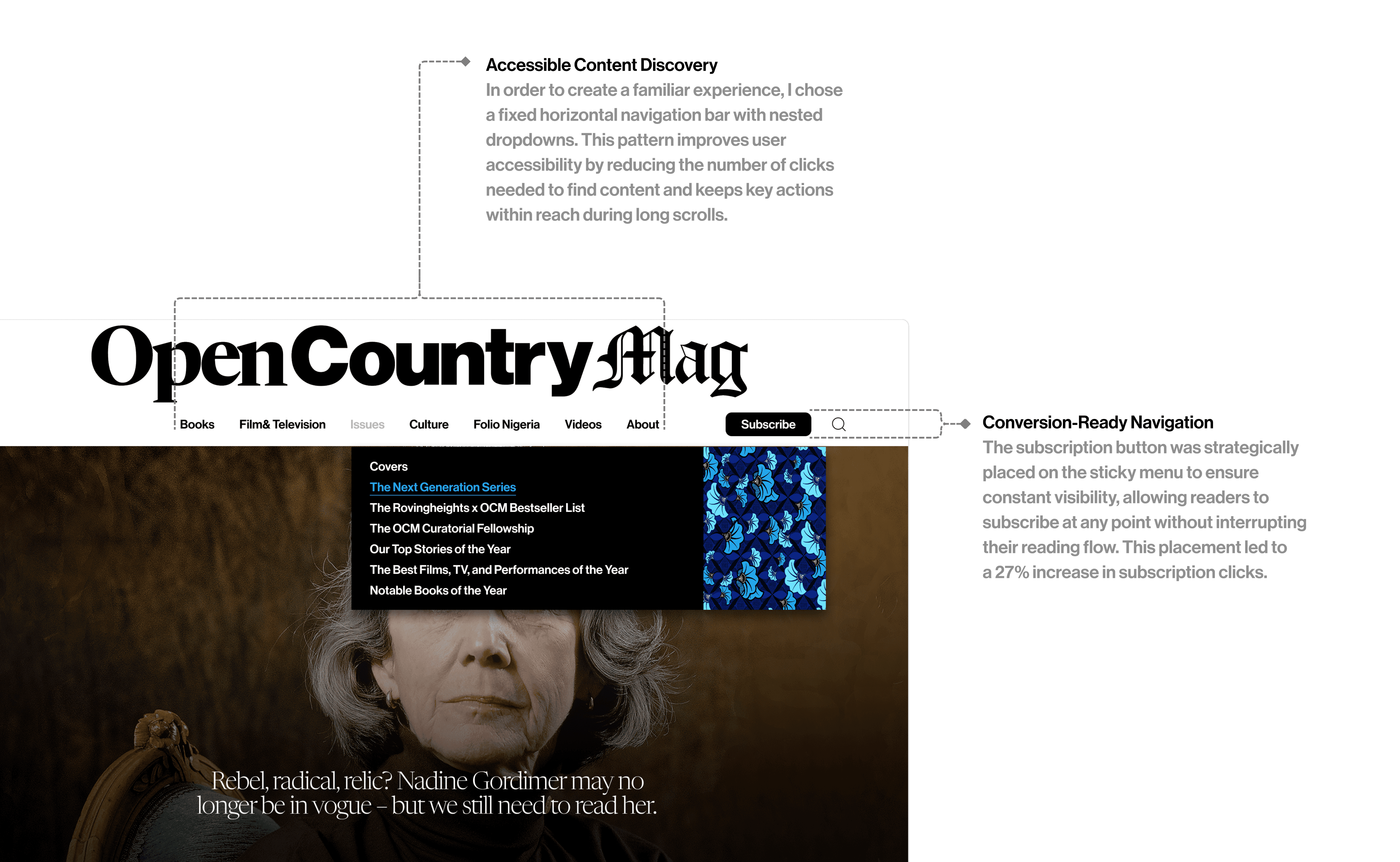
Use Mega menu to show all categories clearly and faster making sections accessible while scrolling.
Card-based homepage sections with headers to visually seperate story type (e.g., Top Stories, Books, Culture).
Personalization & Retention
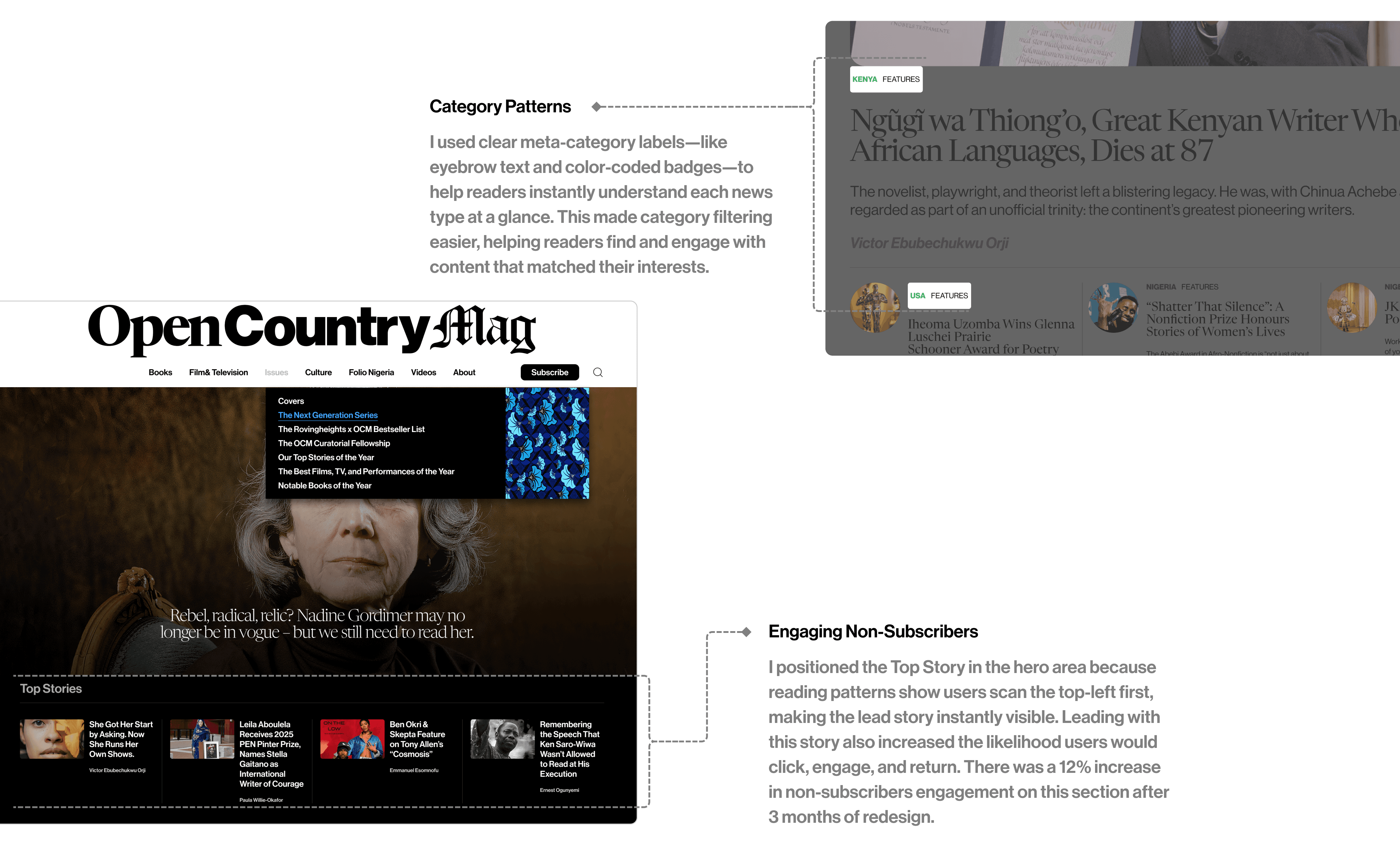
Personalized recommendation modules like “Top Stories” blocks based on user interest to increases return visits.
Location or interest-based content blocks to strengthen engagement by delivering content aligned with reader interests.
Engagement
Modular content blocks to encourage deeper scrolling and exploration and distinguish content types.
Media-rich elements to increases clicks, and improves time-on-page.
Expansion and Growth
Modular sections for new content types to easily add sections to support scalability and growth in audience interests.
Highlight prominent placement of new or trending sections on the homepage to encourage exploration of new content.
Design Essentials
I focused on the UI aspects by introducing design tokens for color, type, and spacing. These changes are subtle, but they significantly improve user experience while ensuring the interface remains consistent and scalable.
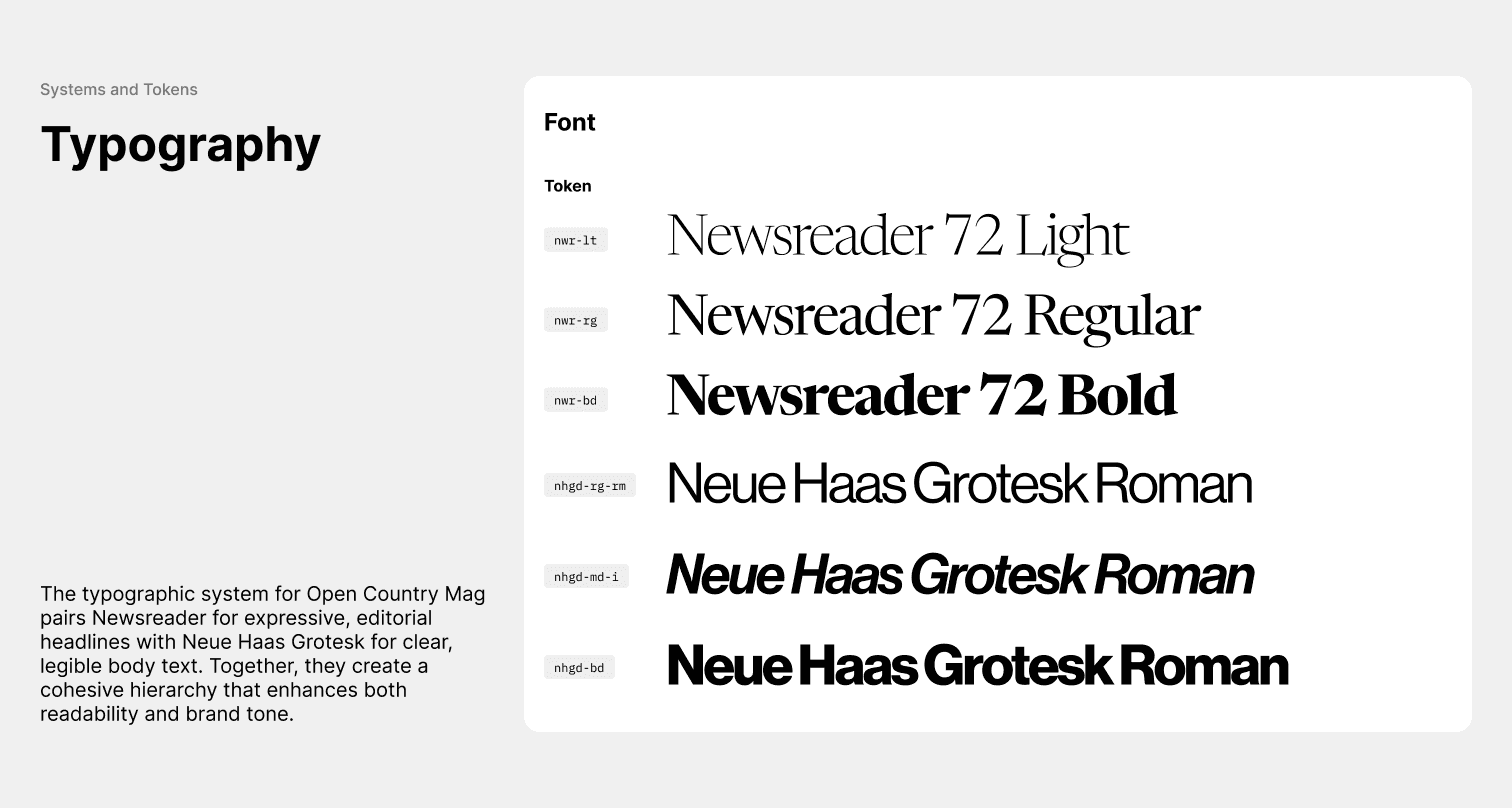
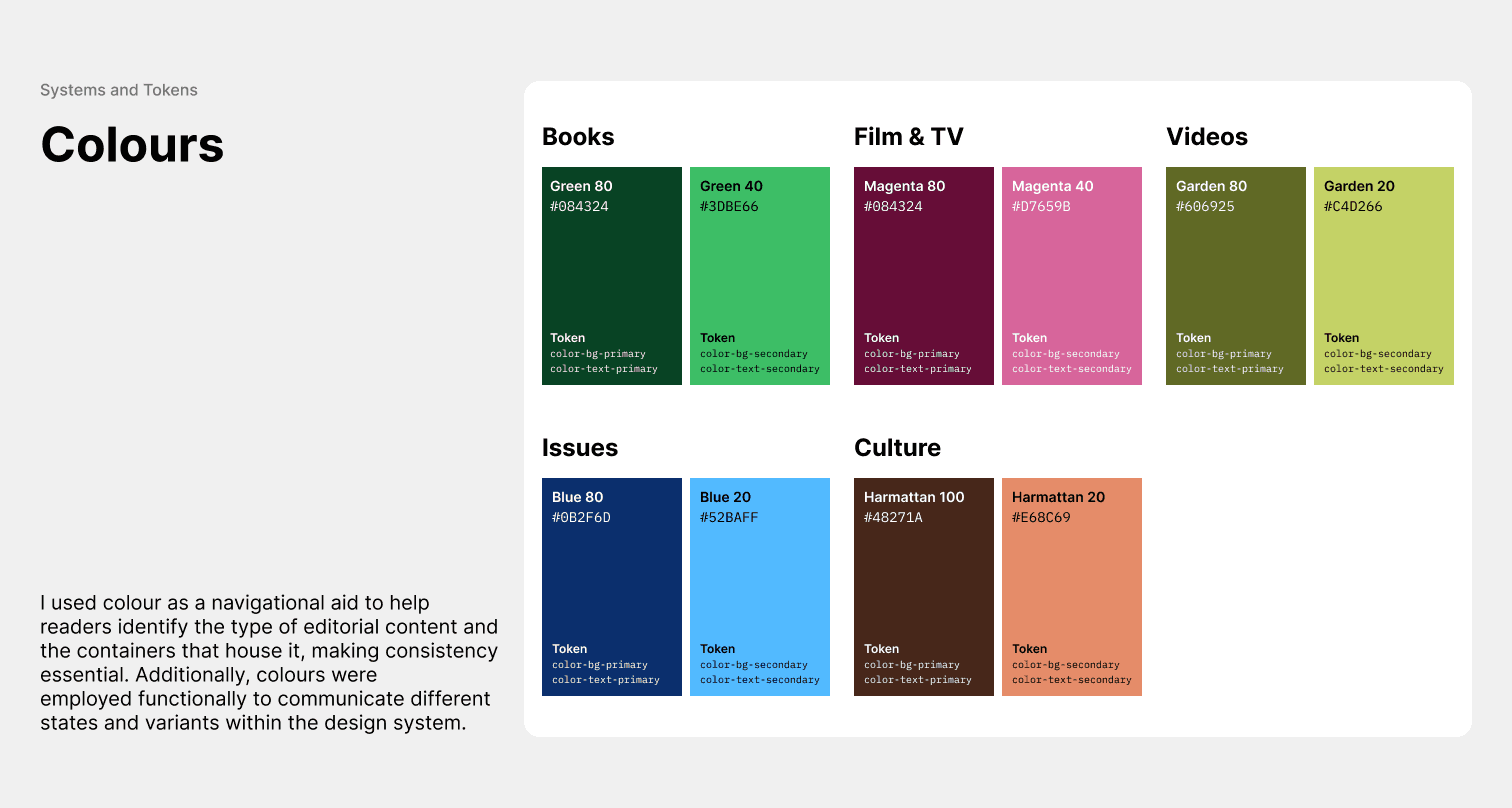
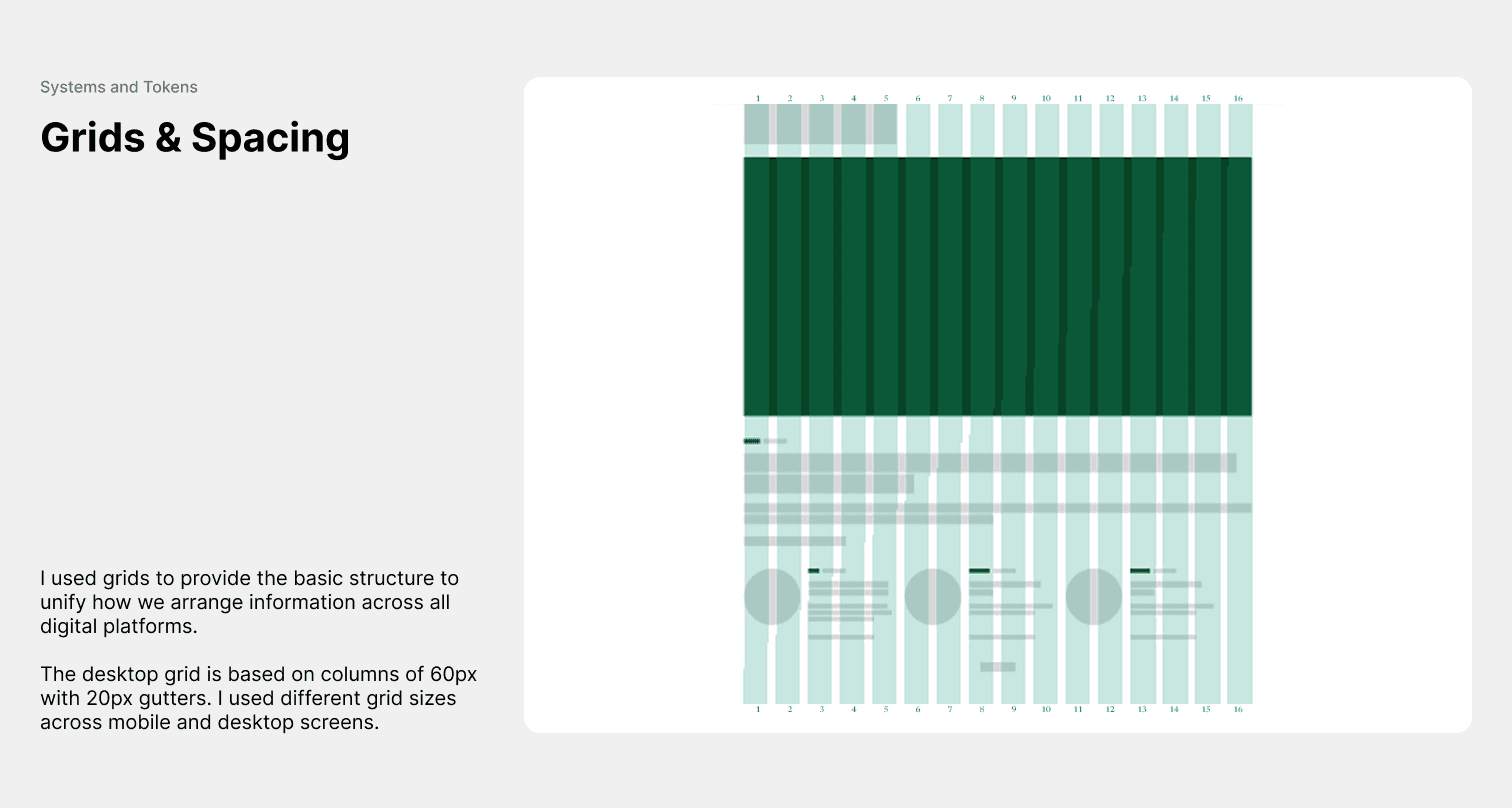
Users spend most of their time on similar sites, so I had to ensure the interface felt instantly familiar. The result was a zero-learning-curve experience for readers, thereby supporting user adoption. I also had to make future development more efficient and support expansion through reusable patterns.
Navigation and Discovery
We designed each section to reduce cognitive load and simplify navigation, helping readers find what they need quickly.
Engagement
News sites are content-heavy by default, so using strong visuals (images and videos), interactive patterns, and flexible content containers helped break up the density. These elements made the experience more dynamic, encouraged deeper scrolling, and improved overall reader engagement.
Personalization and Retention
Observing user reading patterns helped us understand how to keep readers engaged. Adding clear category labels made it easier for people to filter stories by topic and location, helping them quickly find the content they were most interested in.
Expansion and Growth
Build flexible design systems that could scale and support growth into new verticals like Culture, Books and Podcast.
Little Misses, Big Lessons
Designing for Accessibility
Buttons are more effective than text links because they clearly signal primary actions through visual prominence and size. Their design must scale responsively across devices to remain accessible, tappable, and visually distinct—ensuring consistent usability and task completion.
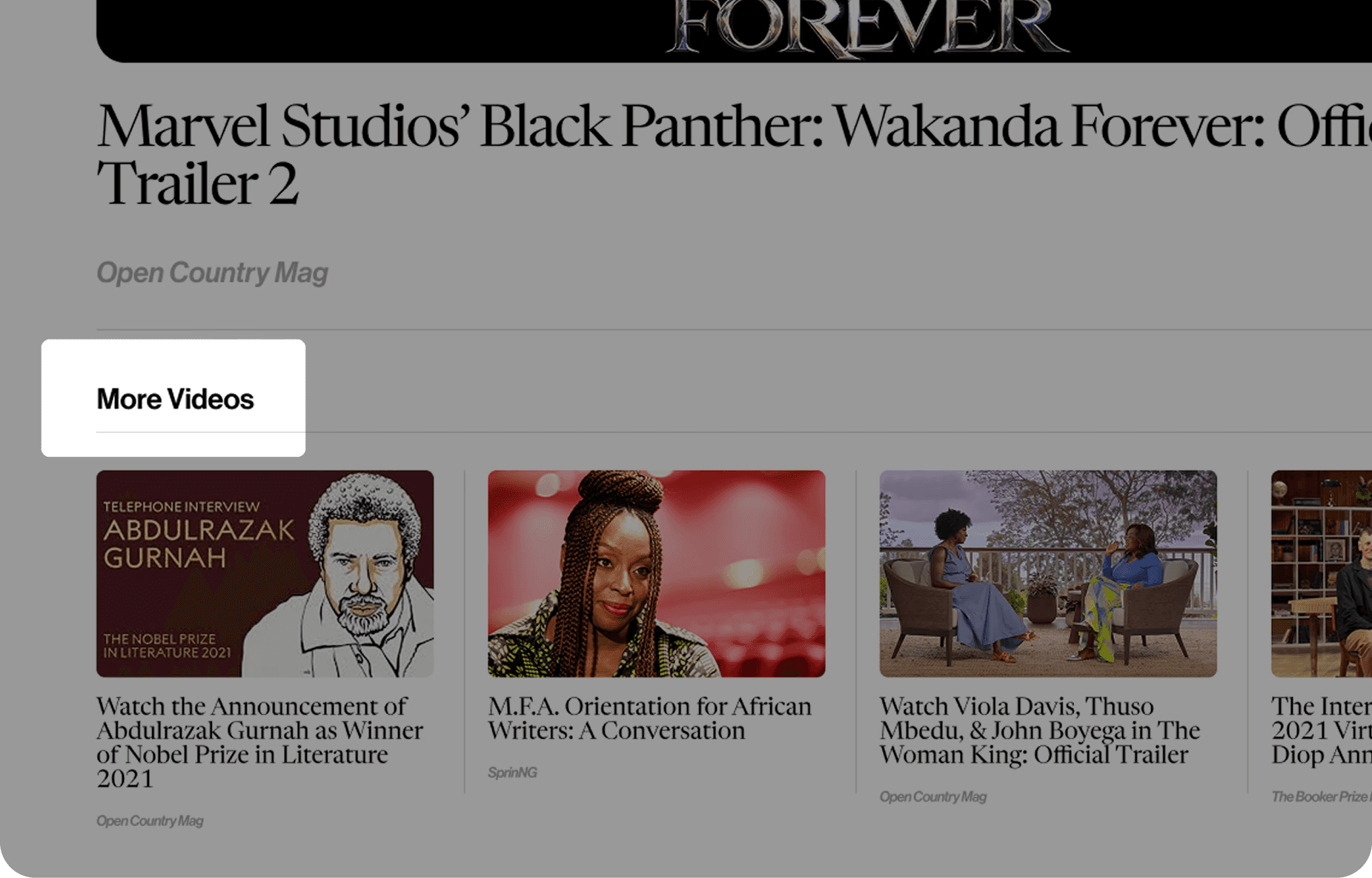
Before
The “More Videos” button lacked sufficient visual distinction, causing several testers to overlook it as a tappable element. Users complained that it blended into surrounding elements during scrolling, making it appear as as static content rather than an interactive button.
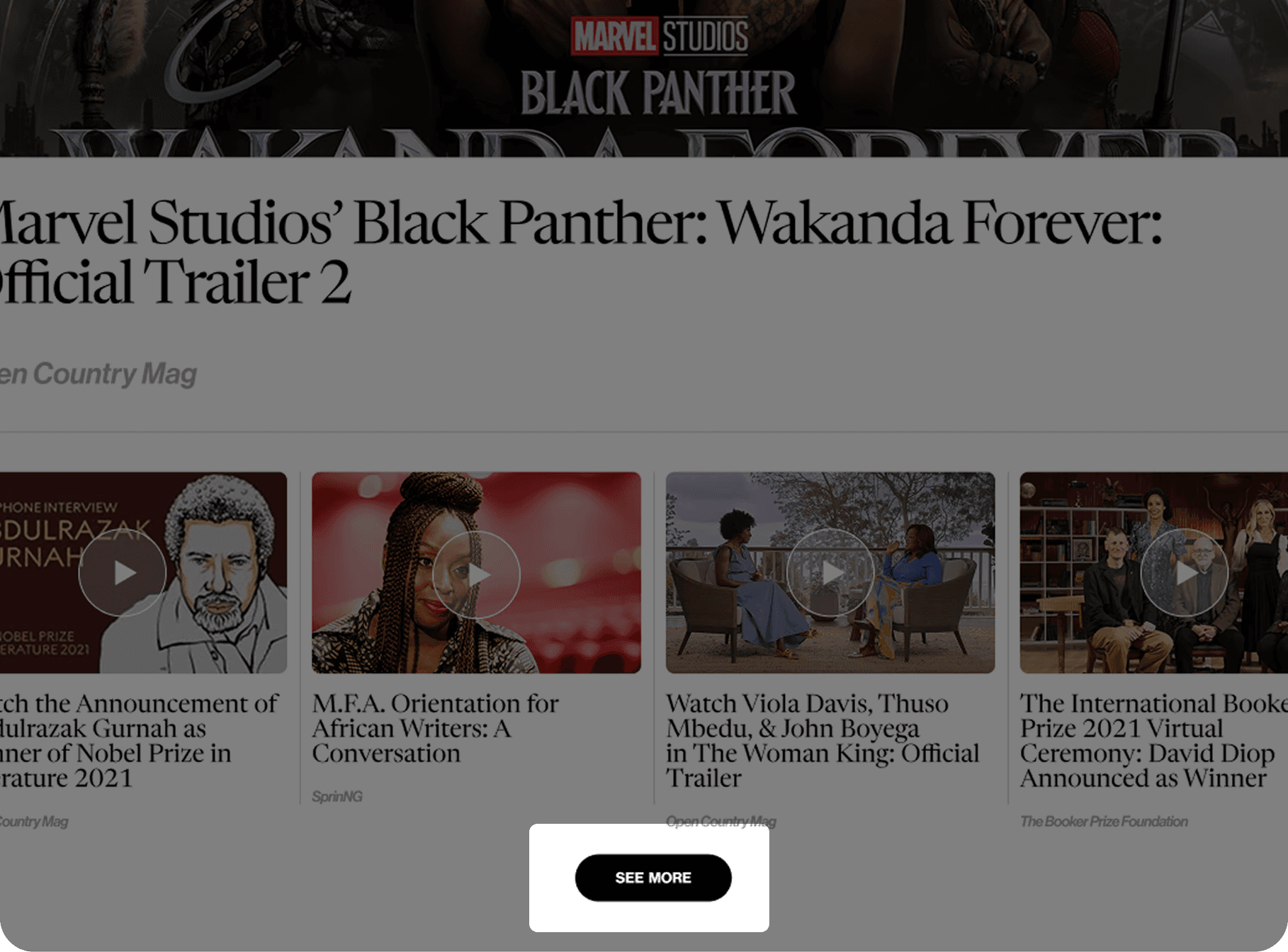
After
We designed a dedicated button system focused on three key UX goals: Accessibility – making it easier for all users (differently abled) to see and tap confidently; Usability – Stronger Affordance and Visual Priority, so it acts as a clear, clickable cue that guides behaviour; and Scalability Across Breakpoints – ensuring it looks and works consistently across all device.
Performance vs. Engagement Trade-off
Success isn't just about speed or beauty in isolation; it's about finding the minimum effective dose of visual design that achieves business goals (engagement) without compromising core usability (accessibility).
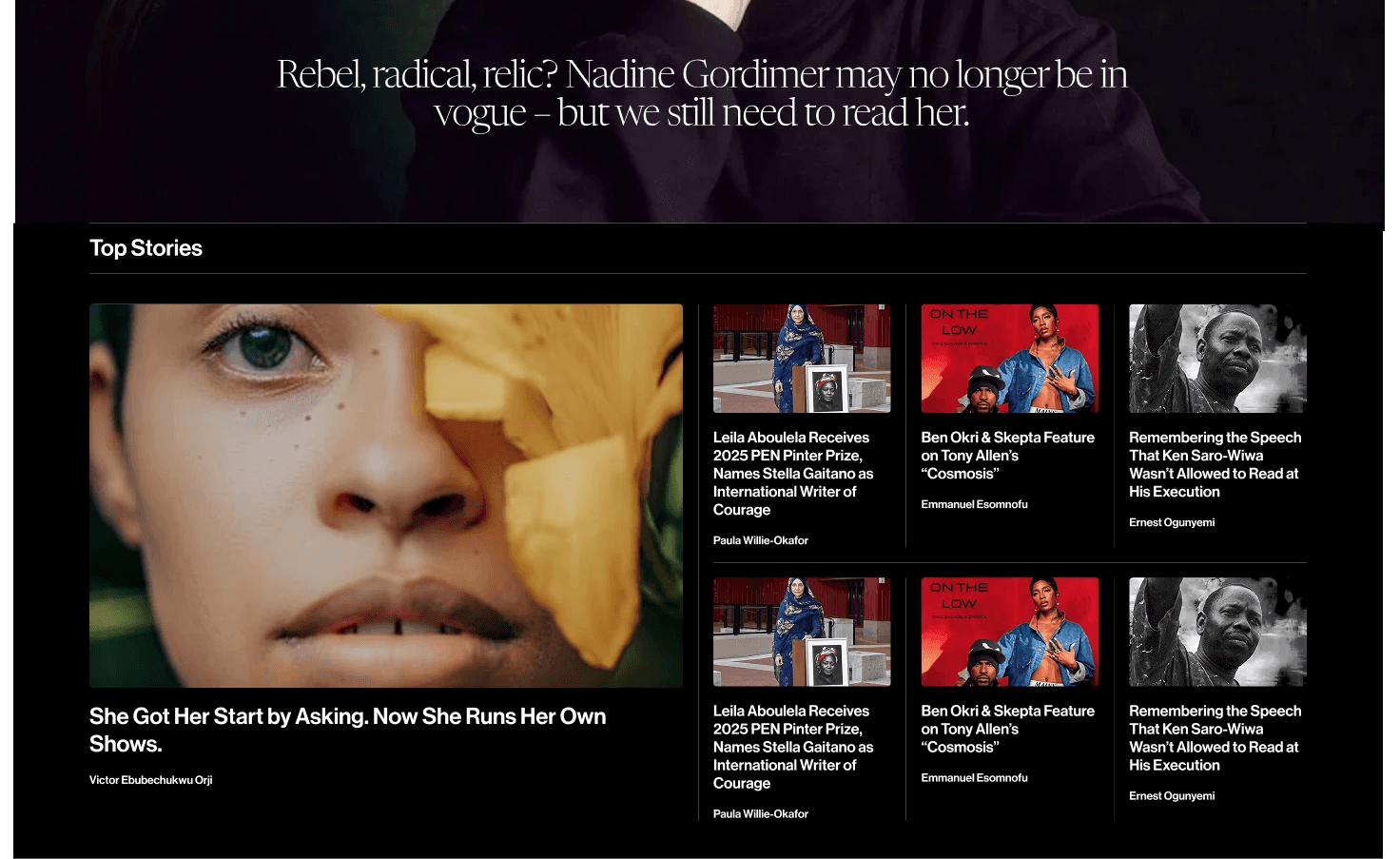
Version 1
This version presented significant challenges due to its high image density. The large images created a slow, cluttered interface, which was problematic for users with poor internet connections. This resulted in long load times and increased data usage —leading to frustration and a high drop-off rate.
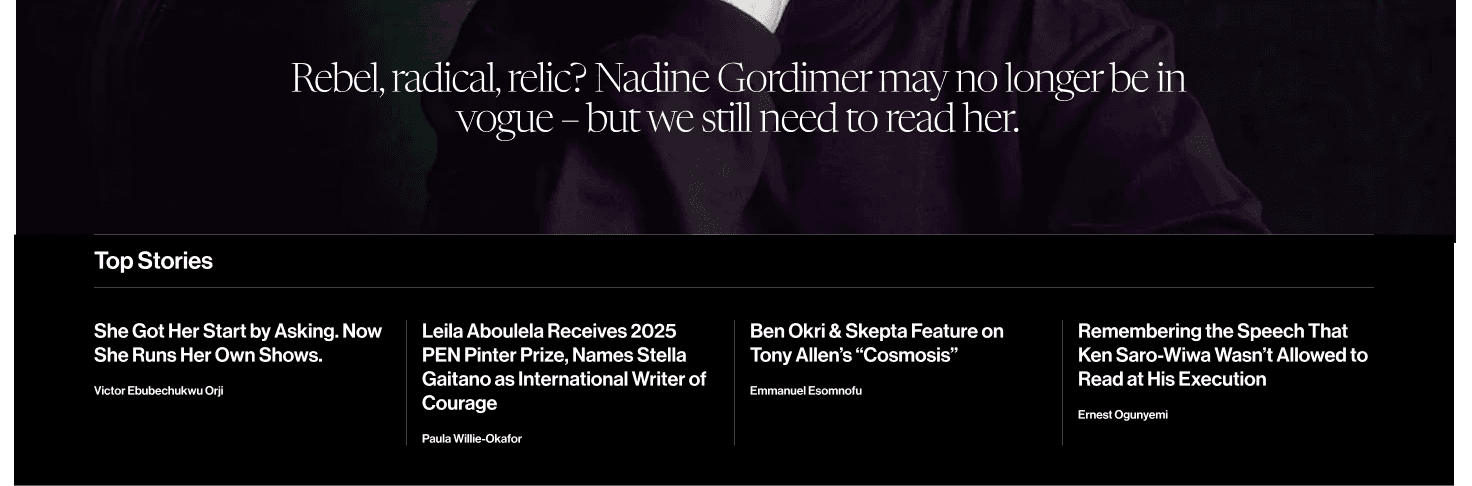
Version 2
To address the performance issues, Version 2 removed images entirely. While this solution successfully improved load speed and accessibility, it inadvertently reduced visual appeal and user engagement. Without imagery, the section felt text-heavy, causing a notable decline in user interaction and time spent, as the content failed to capture attention or provide necessary visual context.
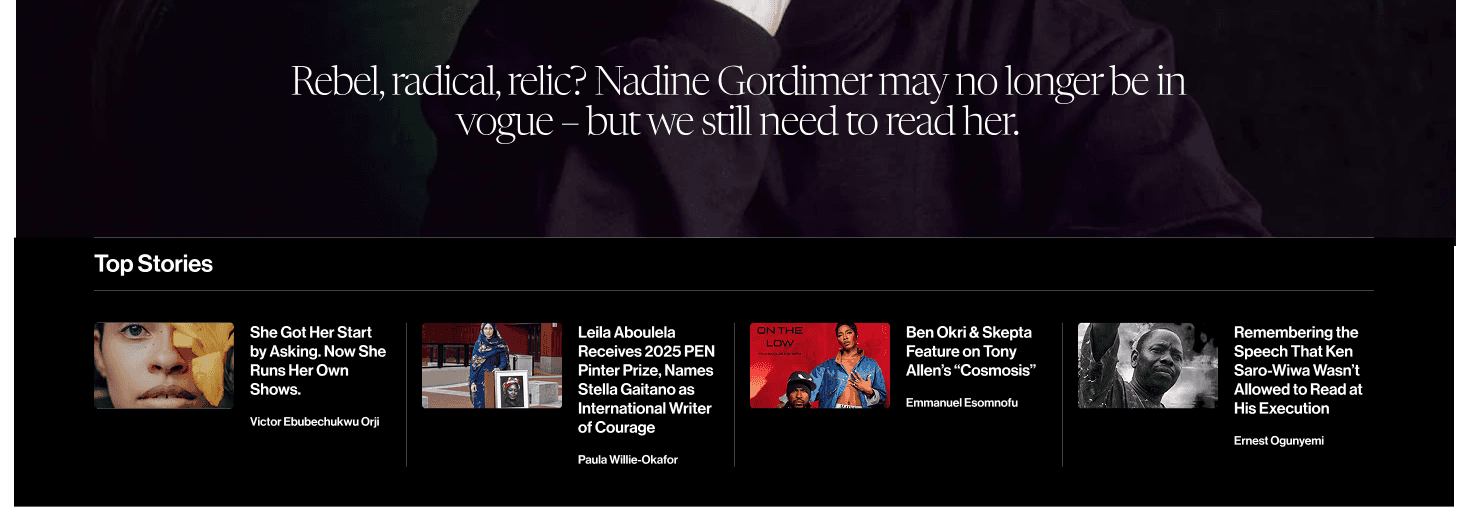
Version 3
Version 3 achieved a balance by reintroducing images in a performance-conscious manner. We used fewer images and significantly reduced their file sizes. This approach maintained the visual appeal necessary to attract and engage users while ensuring quick load times—even on slower connections—successfully marrying usability with an engaging, accessible user experience.
04. CLOSING
The Final Chapter
In this project, designing a flexible foundation mattered just as much as the visual redesign. The real success was enabling the publication to expand confidently while giving readers a clearer, more engaging experience.
Winning Moments
Designing for scalability, not just redesigning screens: Modular layouts and reusable components made it possible to expand the site’s offering without disrupting the overall structure.
Leading with UX patterns users already knew: Borrowing from established news experiences reduced friction and created a zero learning curve for new content verticals.
Pairing qualitative insights with metrics: Timed tests, scroll-depth patterns, and card interaction data helped justify decisions and build alignment with stakeholders.
Lessons Learned
Cross-Team Alignment: I learned that expanding into new verticals requires tighter collaboration across editorial, product, and engineering to keep priorities aligned and momentum strong.
Design Communication: I learnt a great deal about remote collaboration (across 4 time zones). I realized that clearer communication around design decisions reduced friction. Good design isn’t just about the product—it’s also about designing the conversation.
Scaling with Intent: As the platform grows, so does complexity. I learned to repeatedly test and iterate without fear of failure.

