Scaling Service into Product: Building Africa's Premier Repair Platform
Easyfix is a tech startup transforming its service model into a digital product. By launching a repair app, the company aims to streamline the connection between its network of skilled technicians and customers, making professional device repair faster, and more accessible.
My Role
Research: Competitive Analysis, User Research, User Interview, User Journey, Persona and Emotional Mapping, User Flow.
Visual Design: Sketch, Wireframing, UX Design, Visual Design, Interaction Design, Prototyping, Usability Testing.
Tools
Figma, Figjam, Miro
Timeline
12 Weeks
Credits
Adirika Arinze, Nnamdi Nwachukwu, Zainab Nwachukwu, Ada Onondaga
Focus and Define
Direction
There was no single, trusted platform in Nigeria managing digital device repair from start to finish. This defined our core mission: to create the first seamless, end-to-end marketplace connecting customers with vetted technicians for reliable and transparent repairs.
Problem
The challenge was to design an app that connects customers with technicians through a seamless, end-to-end repair experience—one that is both trustworthy and accessible.
Approach
Define
Scope
Goals and Objectives
Methods
Reseach
Surveys
Competitive Analysis
Persona and Emotional Map
Task Analysis & Journey Maps
Design
Information Architecture
Sketche
Wireframe
Visual Design
High Fidelity
Prototyping
Evaluate
Evaluaton
Testing
Discover Pain Points and Goals
To find solutions to EasyFix’s problems, I had to understand the repair process to address technicians’ needs and challenges.
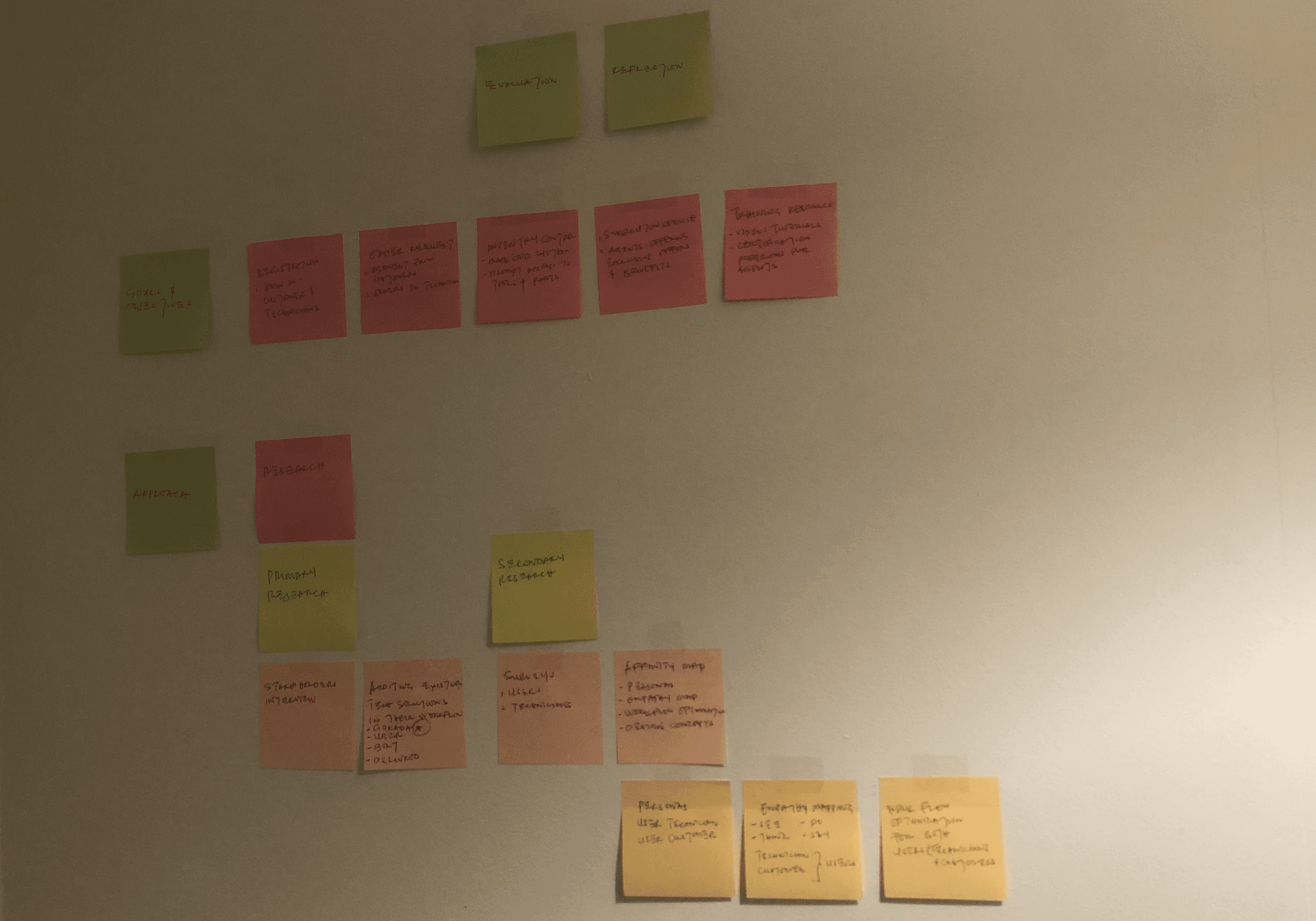
Primary Research
I conduct stakeholder interviews and audit existing tech solutions.
Secondary Research
I survey 5 technicians and 5 users, creating an affinity map to develop personas, emotional mapping, and workflow optimization.
Surveys
I conducted a survey with 10 Easyfix’s technicians and 10 customers—via Google Forms and Instagram to identify their pain points.
To deliver a positive result, customers needed a simpler way to schedule requests and a self-service option for customers who prefer fixing phones themselves.
Insights in Workflow
I generated the following insights by grouping similar notes under similar headings.
Technician Workflow;
01
The technicians usually receive requests from Easyfix management team or customers that come in person to the store to fix gadgets.
02
Technicians use machinery and tools in the office to fix these devices because all devices are only available in stores.
03
After repairing a gadget, a service technician's responsibilities extend to completing post-service documentation to fulfill formal requirements.
Customers Workflow;
01
Customers reach out to easyfix via social media, or in person.
02
Customers that use social media, then use Gokada to deliver the phone to the easyfix management team.
03
After repair, customers complete post service check out over the phone and book a Gokada for return of device.
Standardized Communication;
01
Communications between the customers and technicians are not standardized, leading to tedious phone repair diagnostics.
02
Communication between management and technician is not standardized leading to an absence of inventory analysis and delays in repair process due to unavailability of repair parts.
03
Technicians and customers want a seamless workflow that would not need the customer to use third party delivery or drive in person to the store to fix devices.
Competitor Analysis
Gokada plays a crucial role in EasyFix operations, it manages device transfers for customers. I reviewed Gokada’s features and identified opportunities we could integrate or improve within the EasyFix app.
Gokada

Gokada’s mobile app allows users to request deliveries by entering pickup and drop-off locations. A nearby rider is assigned, collects the item, and delivers it to the destination. Users can track deliveries in real-time for transparency.
Features
Quick and reliable delivery service.
Transparent real-time tracking.
Easy-to-use mobile app interface.
Opportunities for Improvement
No Repair Integration: Users must handle repairs and deliveries separately.
Security Risks: Concerns over device safety during transit.
Persona and Emotional Mapping
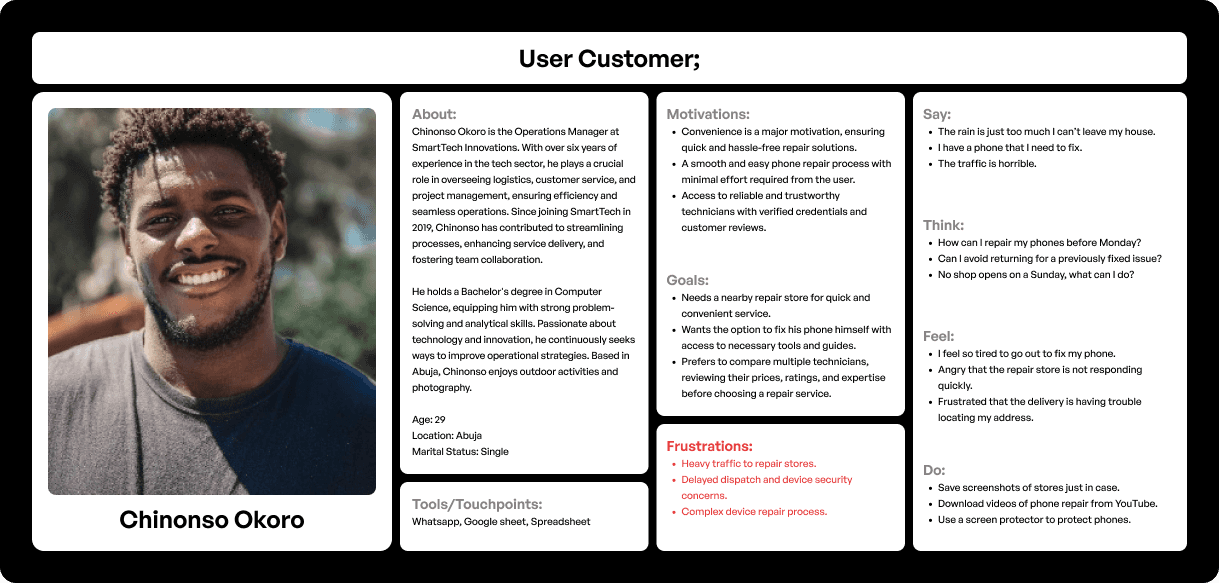
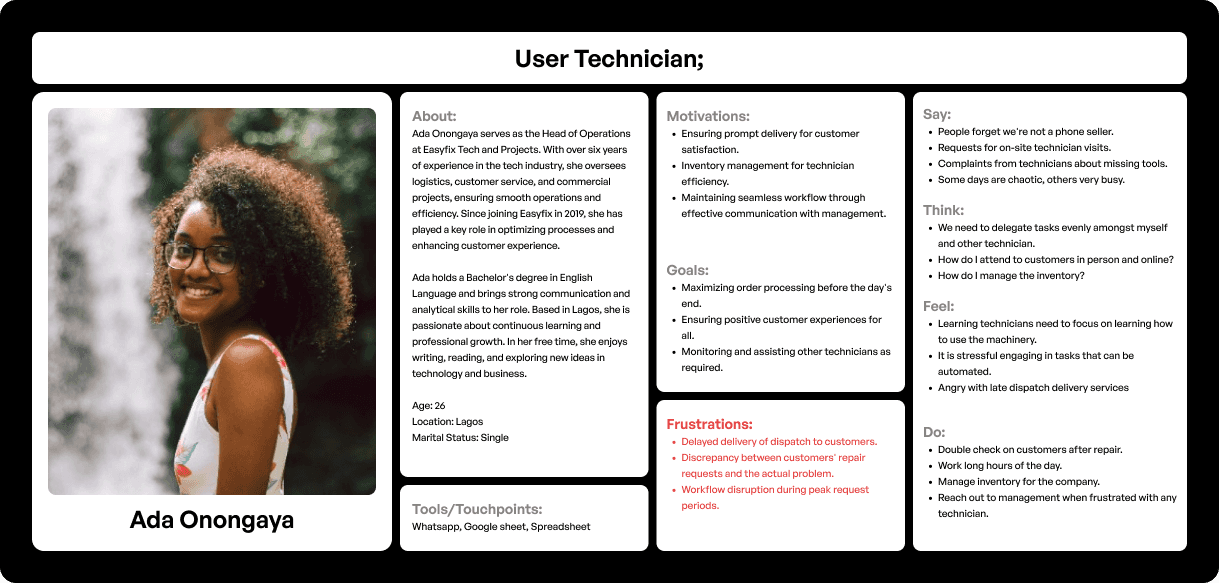
I created an ideal persona for both technician and customer considering pain points and concerns. I also created an emotional map based on what they think, say, do and feel.
Task Analysis & Journey Maps
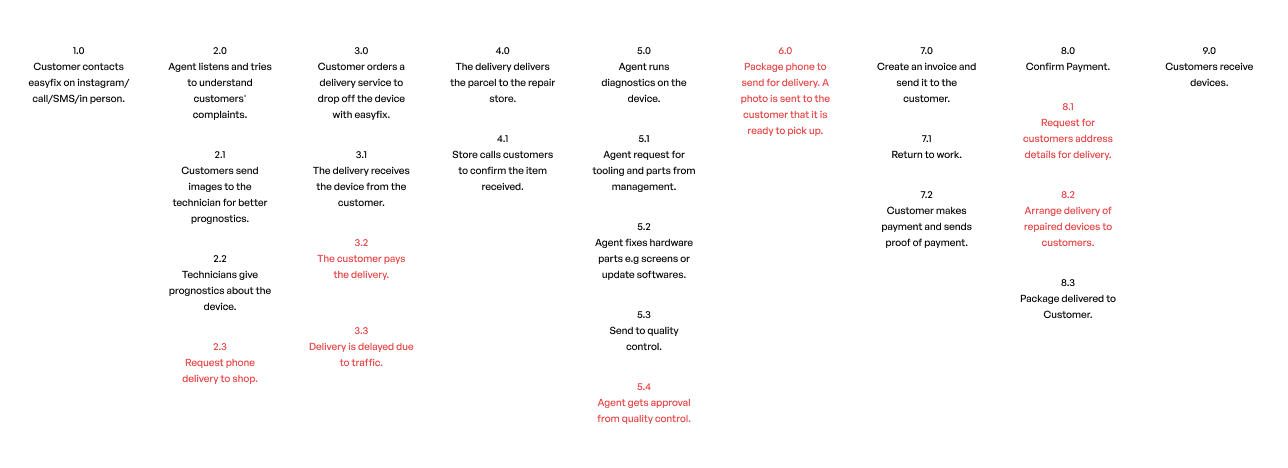
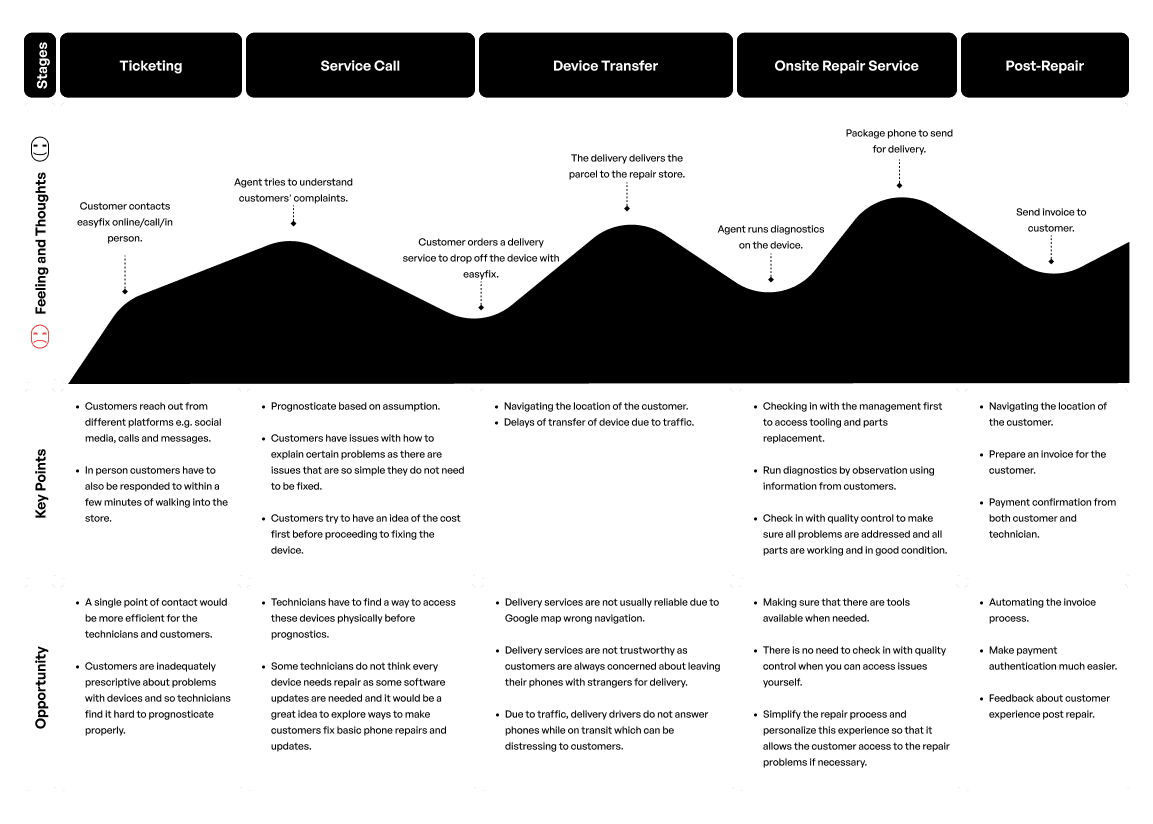
Using the personas and empathy maps, I outlined a hierarchical task analysis. This analysis enabled me to create a user's journey map to opportunities for improvement.
Craft the Visual Journey
Based on insights from research and user surveys. I started with sketches, progressed to low-fidelity designs, and then high-fidelity prototypes, ensuring the app’s goals aligned with user needs.
Key Features
Location-Based Search: Connects users with nearby technicians in real time.
Shortlisting: Ranks technicians by proximity for easier selection.
Trust & Safety: Includes reviews, ratings, and verification for reliability.
Seller Feature: Simplifies onboarding with a seller icon for easy registration.
User Flow
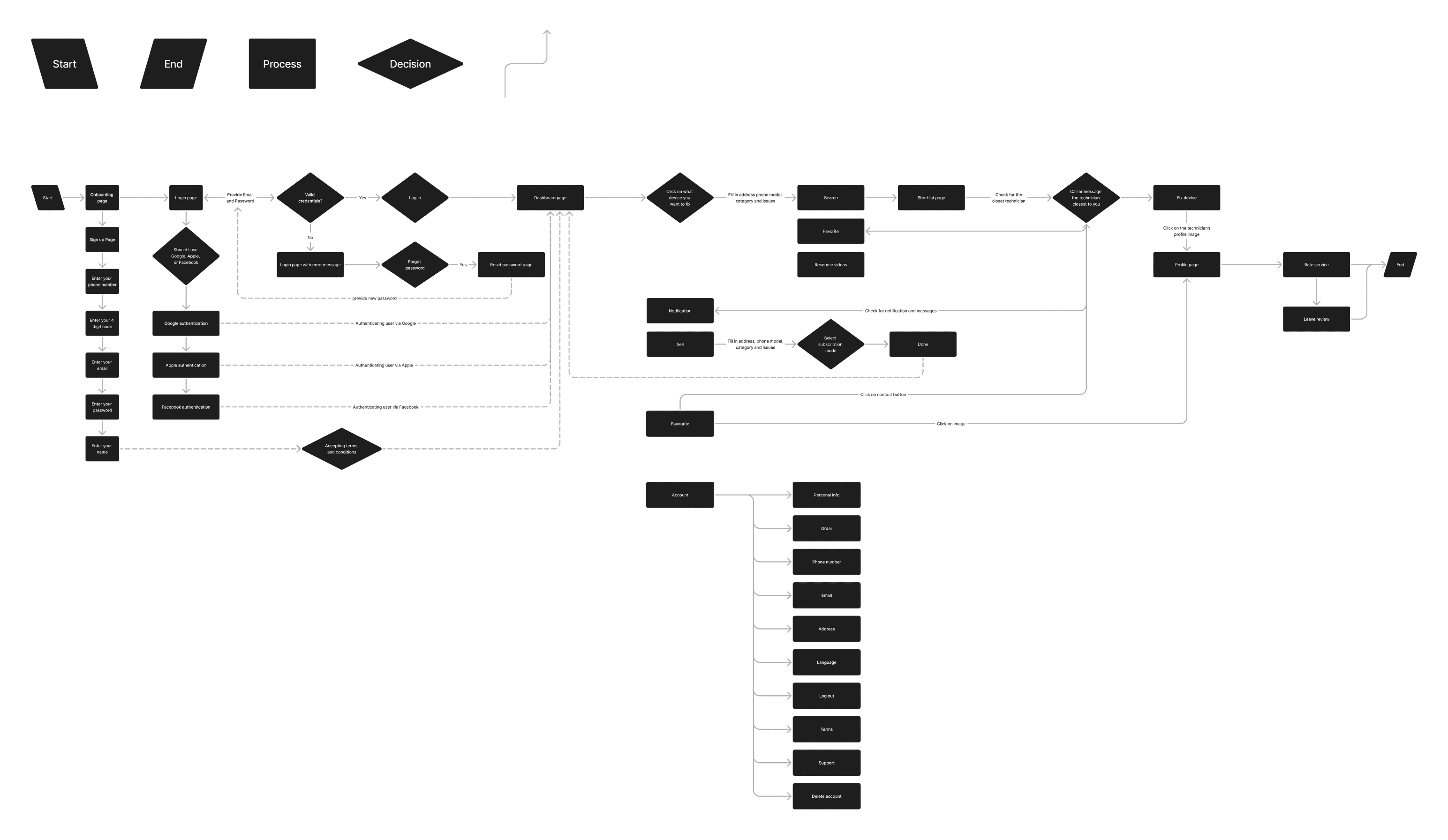
Simplified process flow
User requests service: Opens app, enters location, selects nearest technician, and submits request.
Technician fulfills: Accepts request, navigates to user, and completes repair.
Payment & closure: Payment is processed automatically or in cash.
Feedback: User rates and reviews the technician.
The user flow diagram aims to:
Optimized Usability: Simplifies navigation for ease of use.
Reduced Friction: Minimizes obstacles in the user journey.
Improve Accessibility: Makes key features easily accessible.
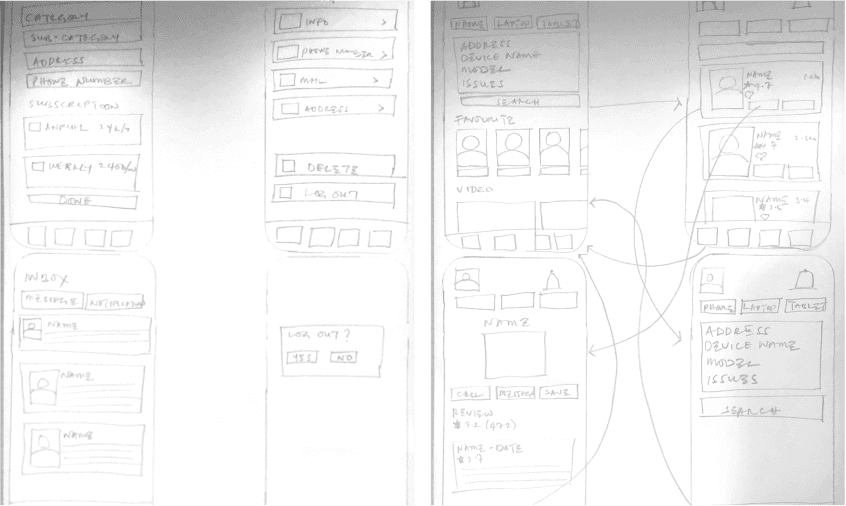
Sketches
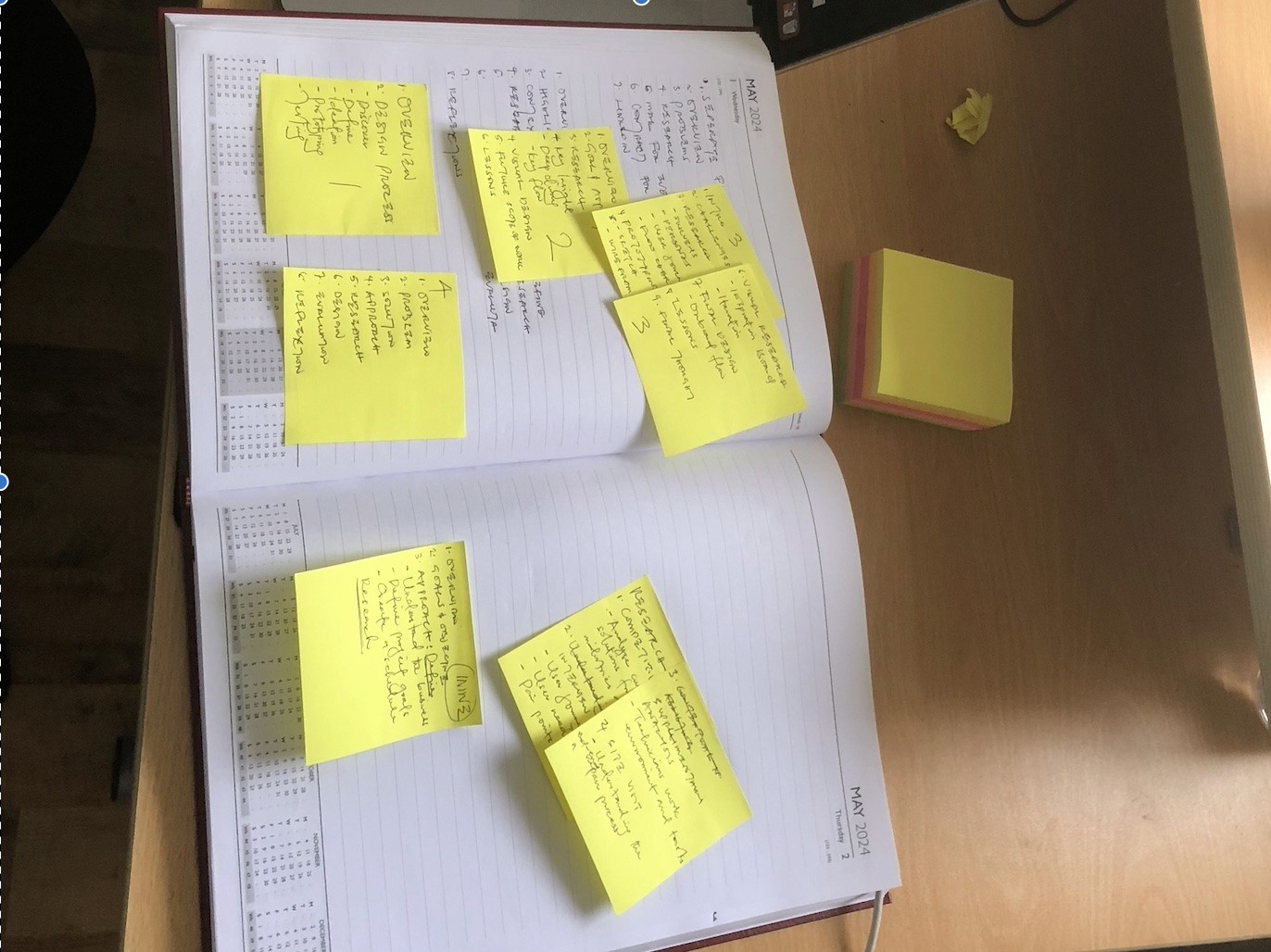
I started with sketches as the foundation for high-fidelity designs, allowing me to explore user flow and iterating on these sketches to answer questions around HMW.
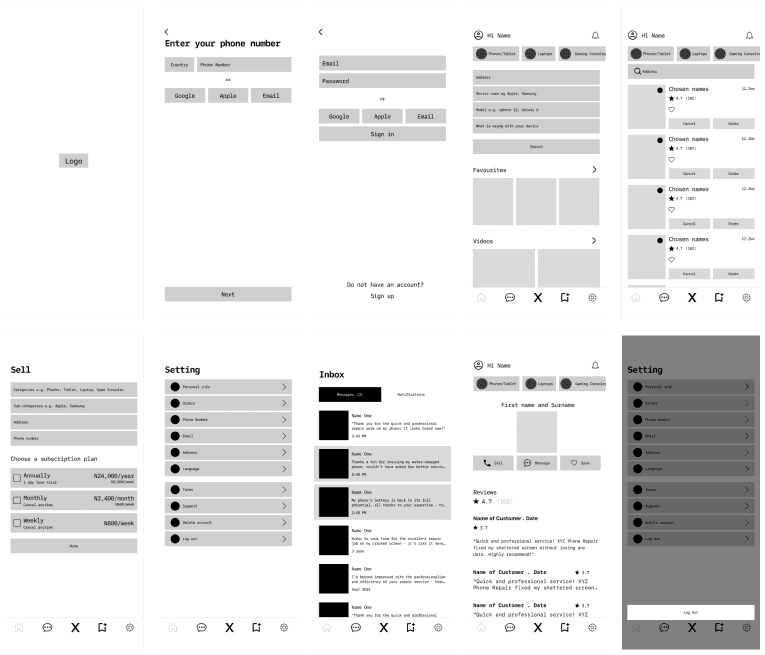
Wireframe Design
I transferred the designs from sketches to create low-fidelity prototypes. This stage was crucial as it allowed me to transition my ideas from paper to the computer.
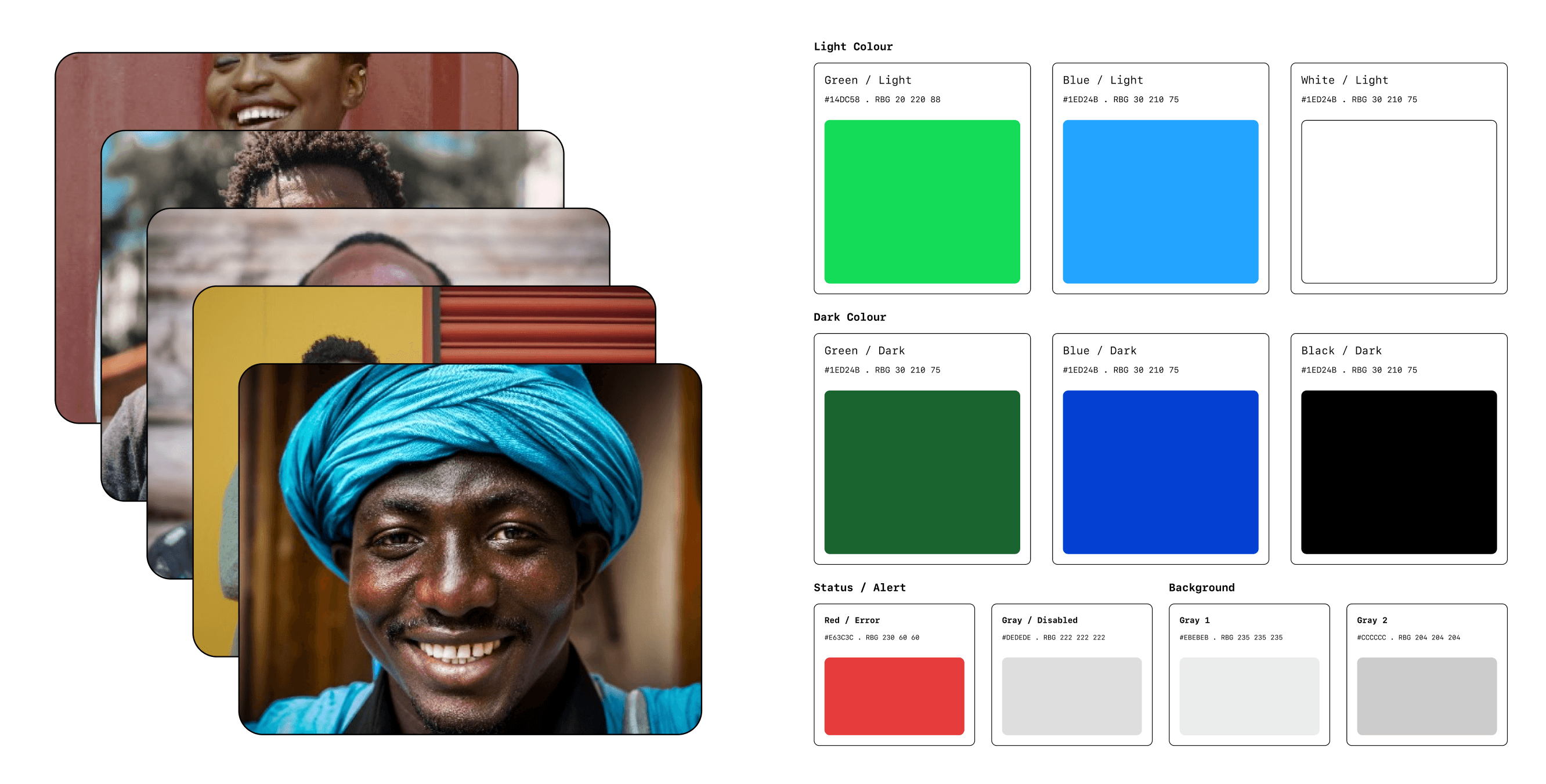
Visual Design
I chose SF Mono to align with EasyFix’s brand identity, ensuring visual consistency and strong glyph support for Nigerian formats. The font's sharp, mechanical design reflects technical craftsmanship, resembling welded metal or broken glass. The colour scheme follows EasyFix’s brand colours with green symbolizing efficiency, functionality, and active devices.
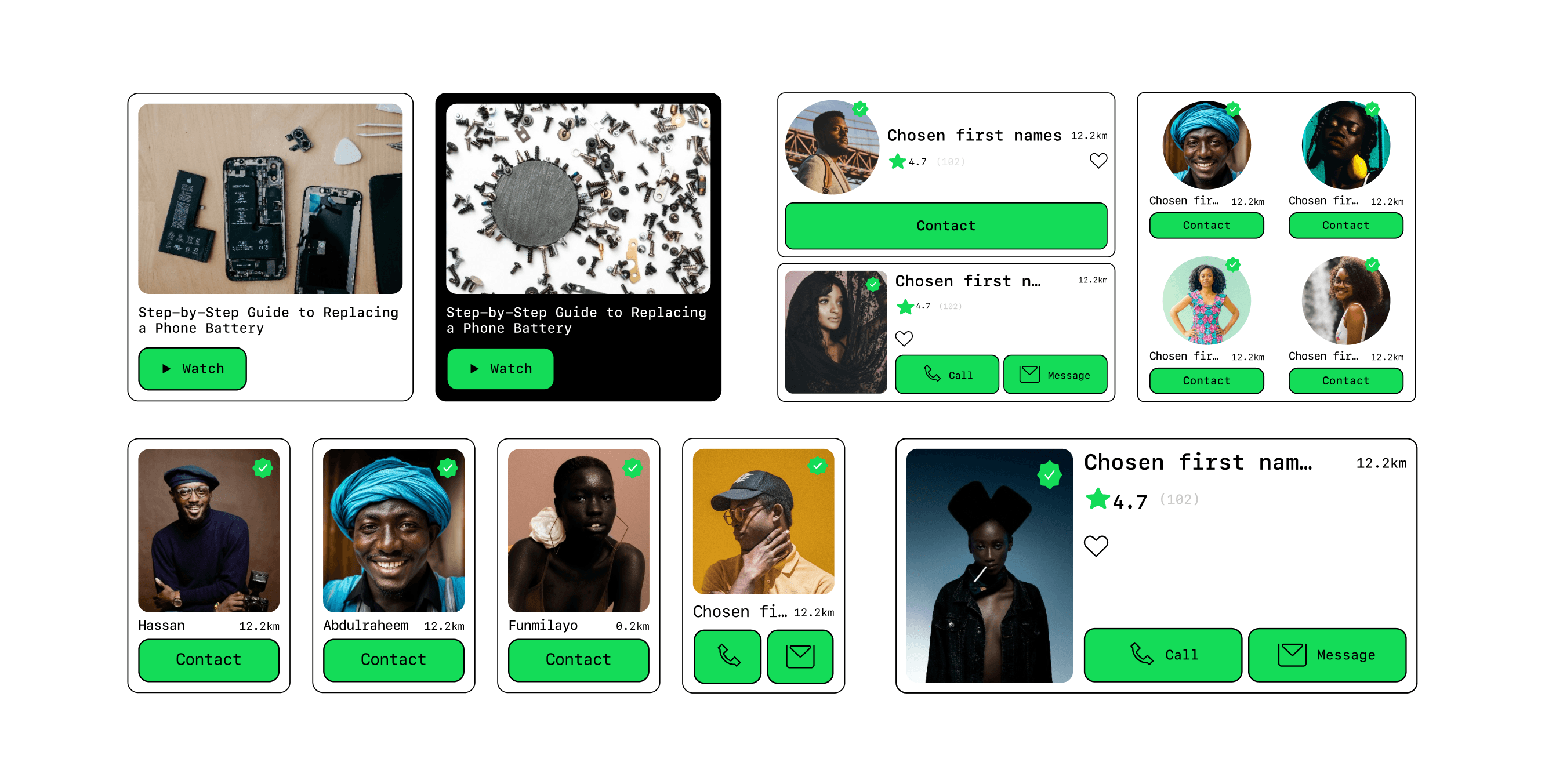
Design and Prototype Ideas
Transfering my ideas from paper to computer, enabled me to iterate and determine what works and what doesn’t.
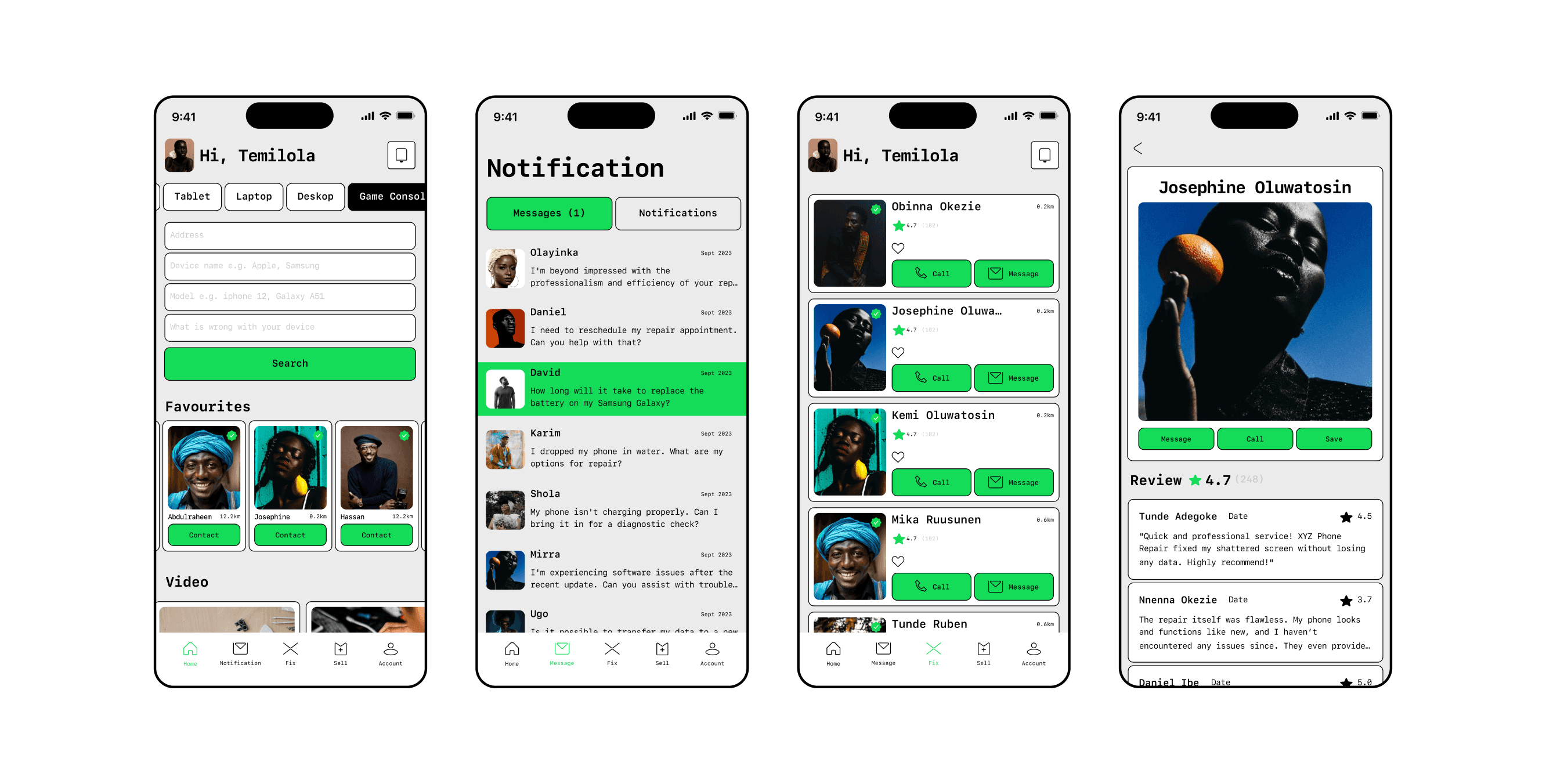
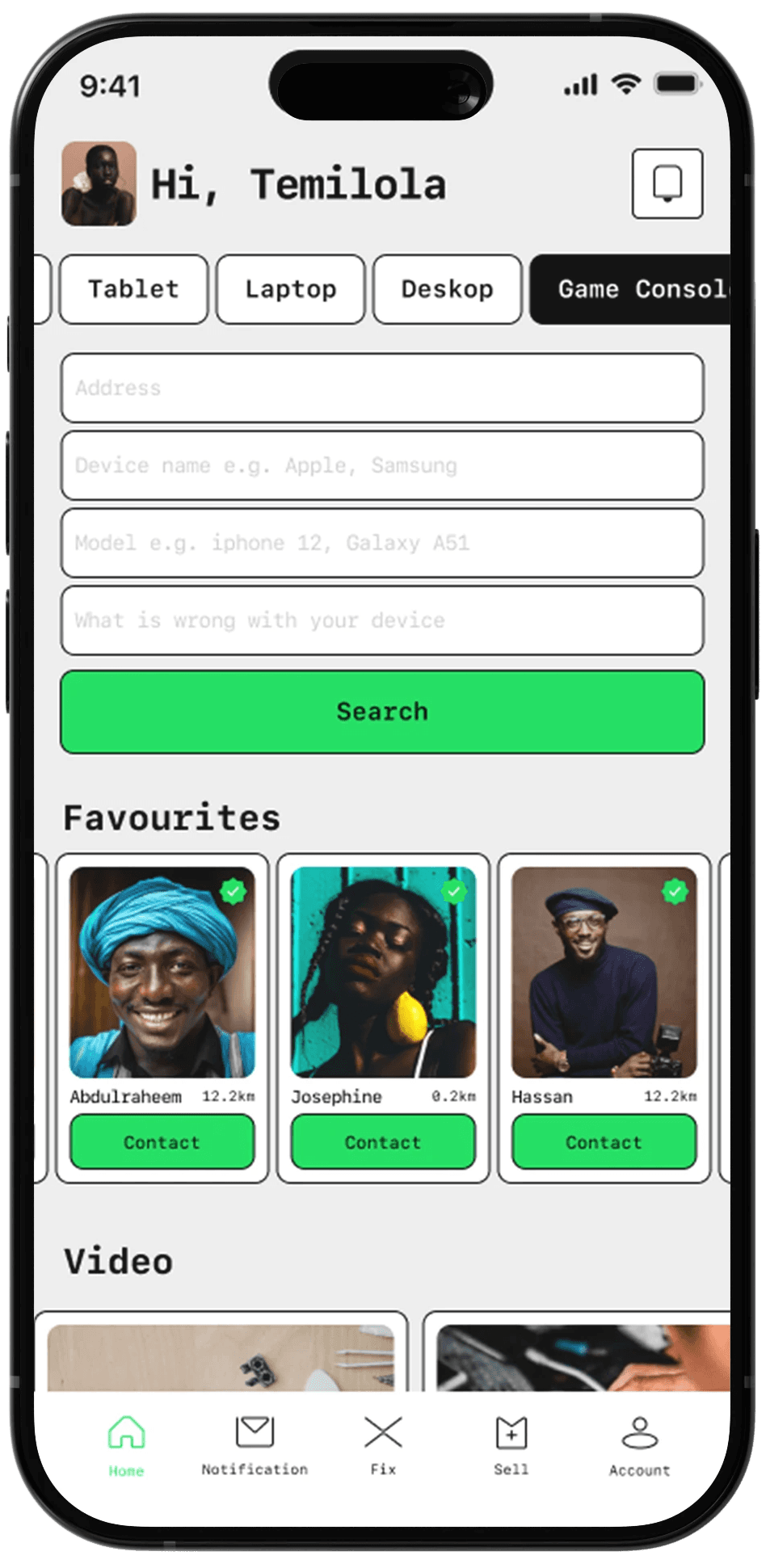
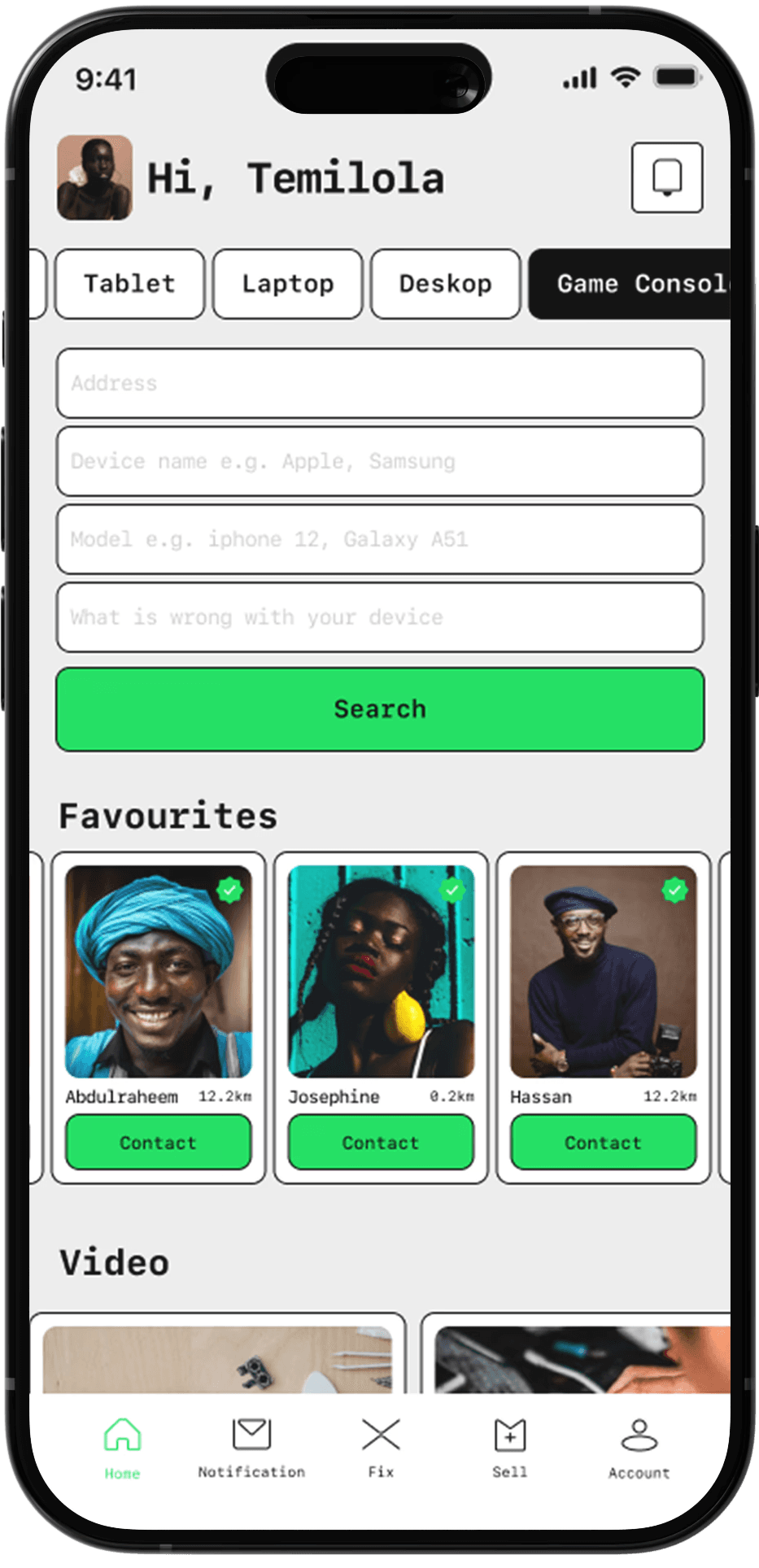
Home Screen
I designed the Home screen as a key navigation hub to meet key user needs.
To meet these needs, I added:
Robust Search and Filter Feature: Enables efficient search to reduce task completion.
Self-Service Resources: Provides guides for self-repair.
Favourites Feature: Allows users to save contacts of trusted technicians for future repairs.
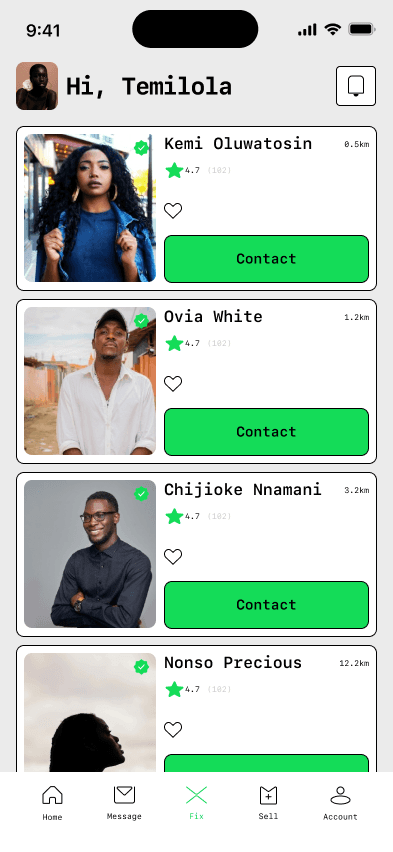
Listing Page
I initially added a Floating Action Button (FAB) for proximity-based filtering but removed it due to usability concerns – prompting me to explore alternative ways to connect users with technicians. I tested two iterations of the listing card—one with both call and message buttons, and another with just the call button. Through user testing and interviews, I identified the version that received the most positive feedback.
Rejected Option
This version, chosen from usability testing, features multiple clicks to access call and message options.
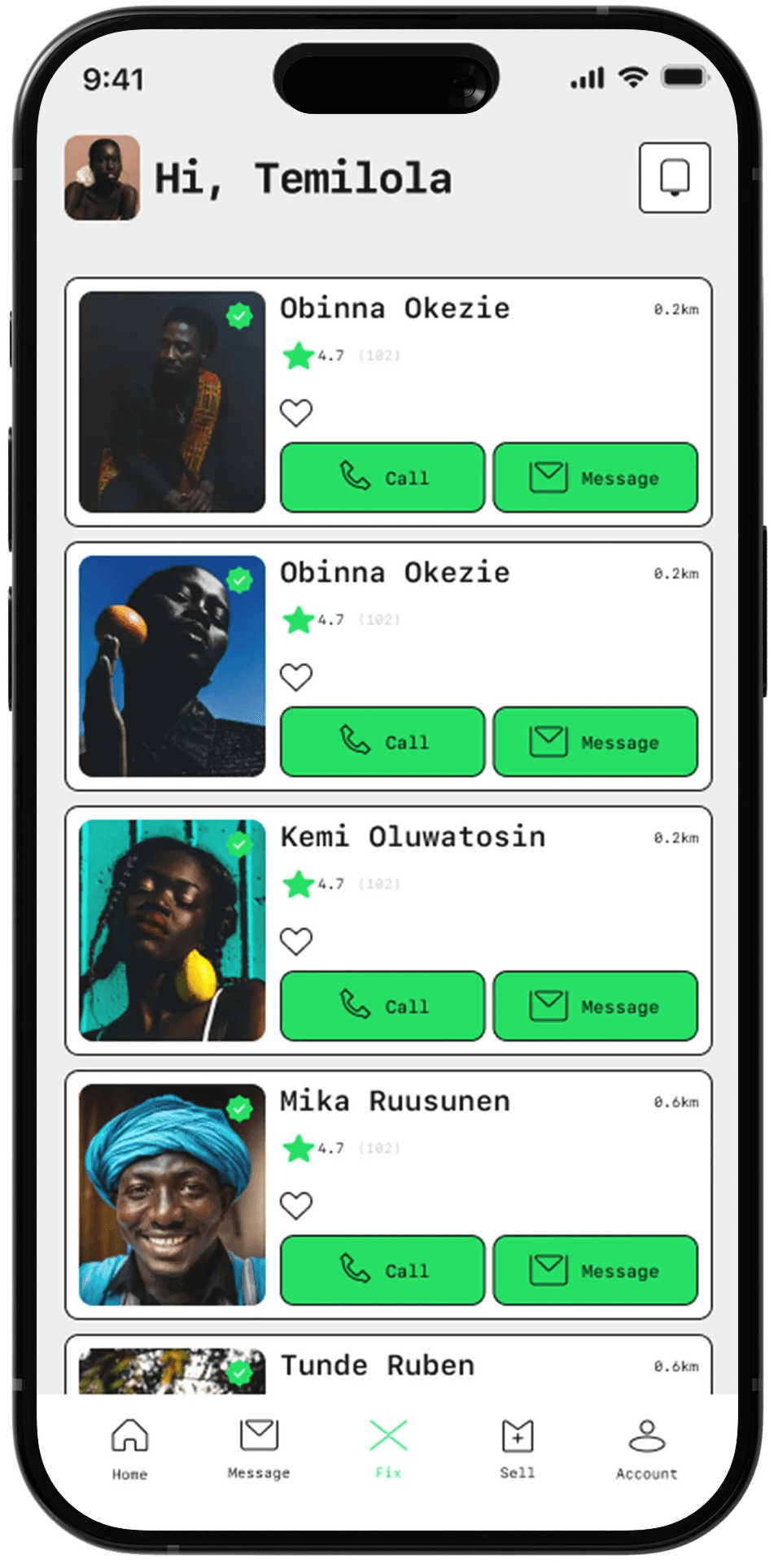
Selected Option
Users preferred having one-click call and message options for technicians, as it simplifies the user flow, and reduces the number of clicks to complete task.

Onboarding Sellers
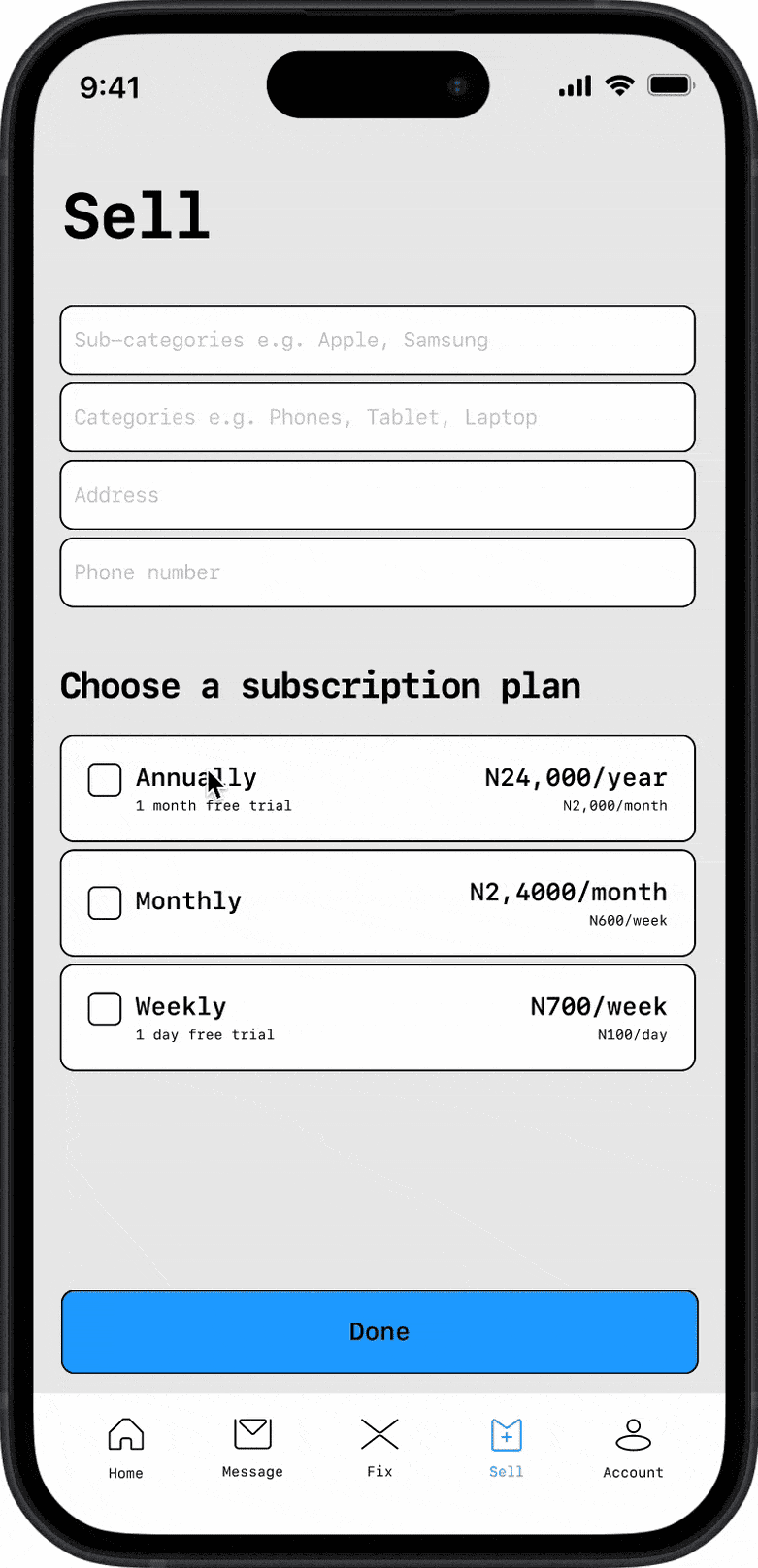
To streamline onboarding, I created a unified app for both customers and technicians instead of separate versions. To support this, I added a "Sellers" tab in the navigation bar, where users can specify their expertise, list supported device models, and select a subscription plan to leverage EasyFix as a selling platform.
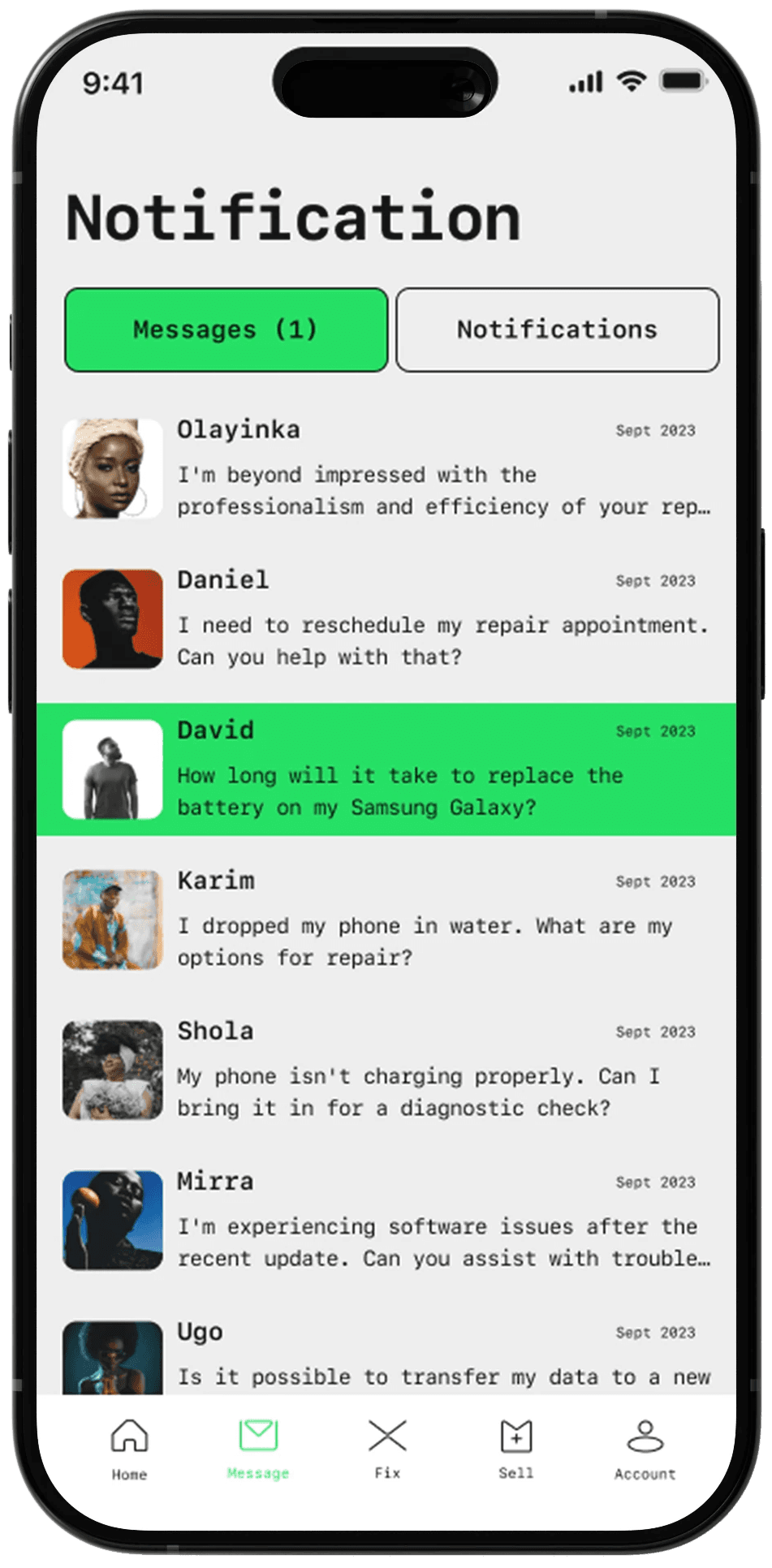
Messaging
In-app message and notification function for seamless customer interactions and app updates.
This also helps with clarity and transparency when discussing details, costs, and availability, minimalizing misunderstanding, and archiving chat history for references and data protection.
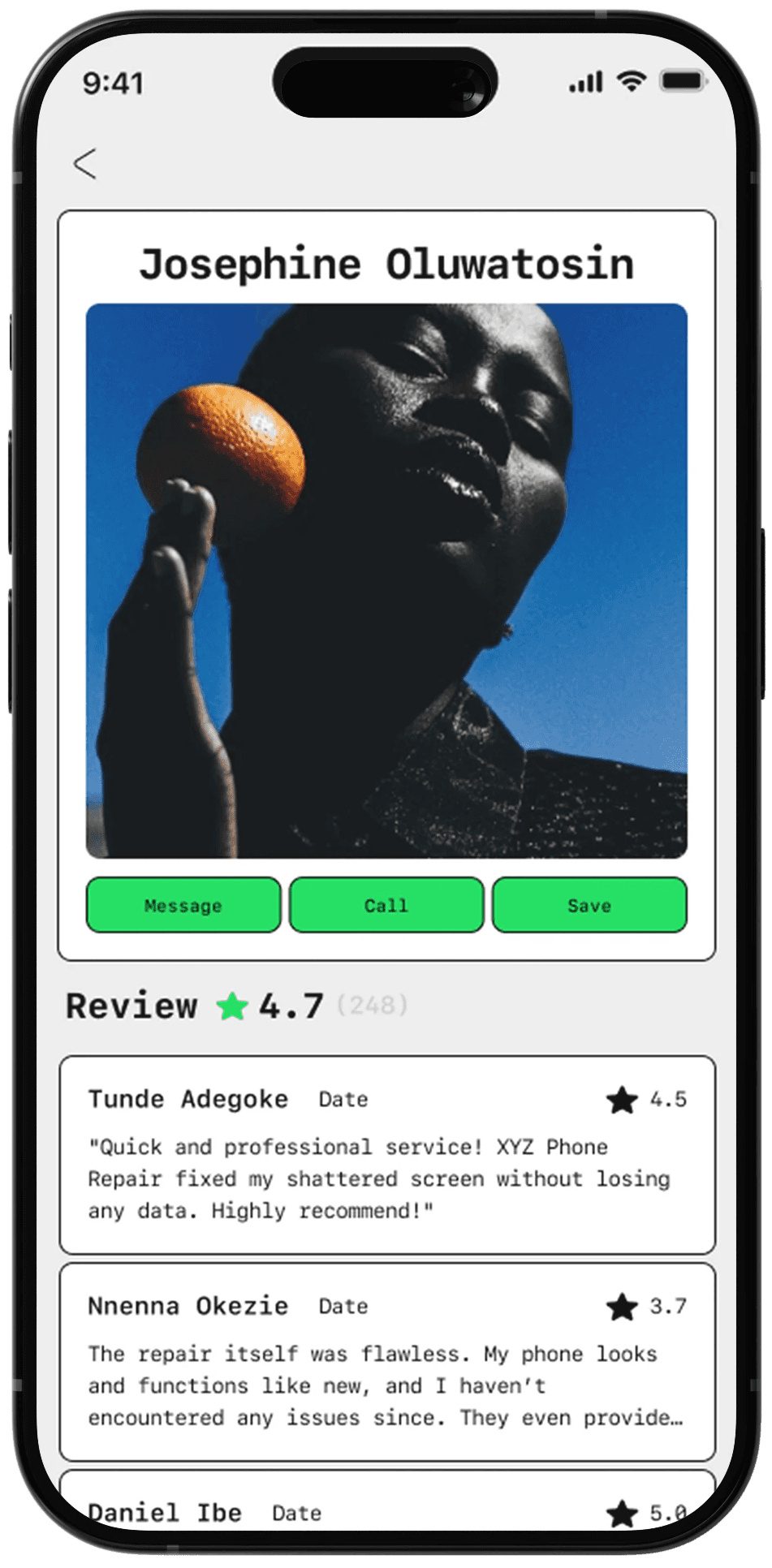
Seller Profile
Ratings and reviews helps users with;
Credibility and Trust
Decision-Making Support
User Engagement and Feedback Loop
Quality control and Accountability
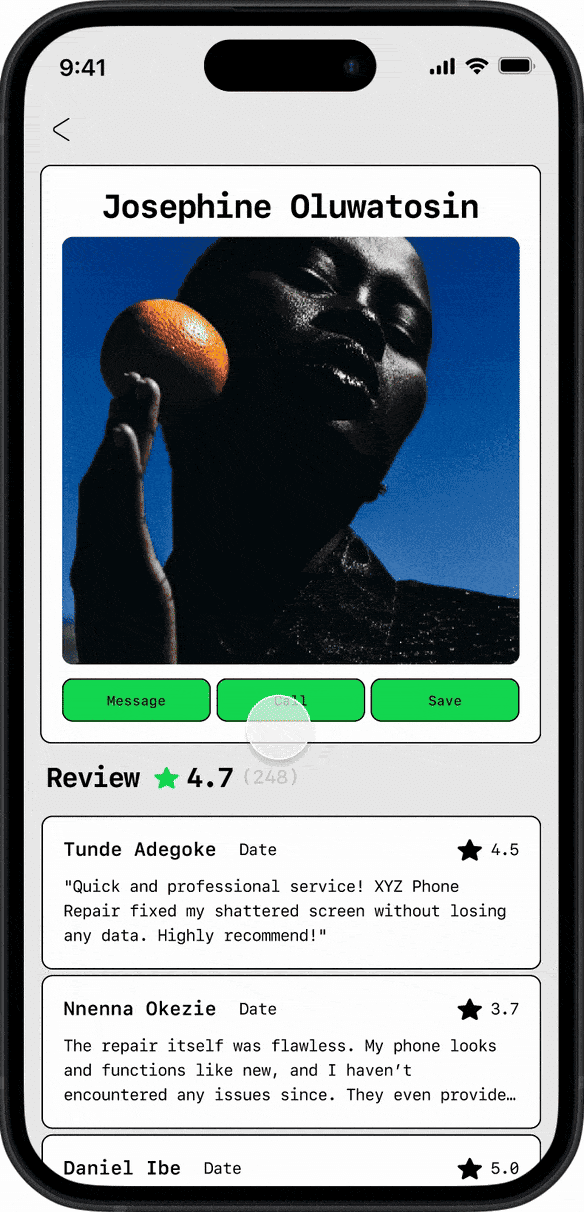
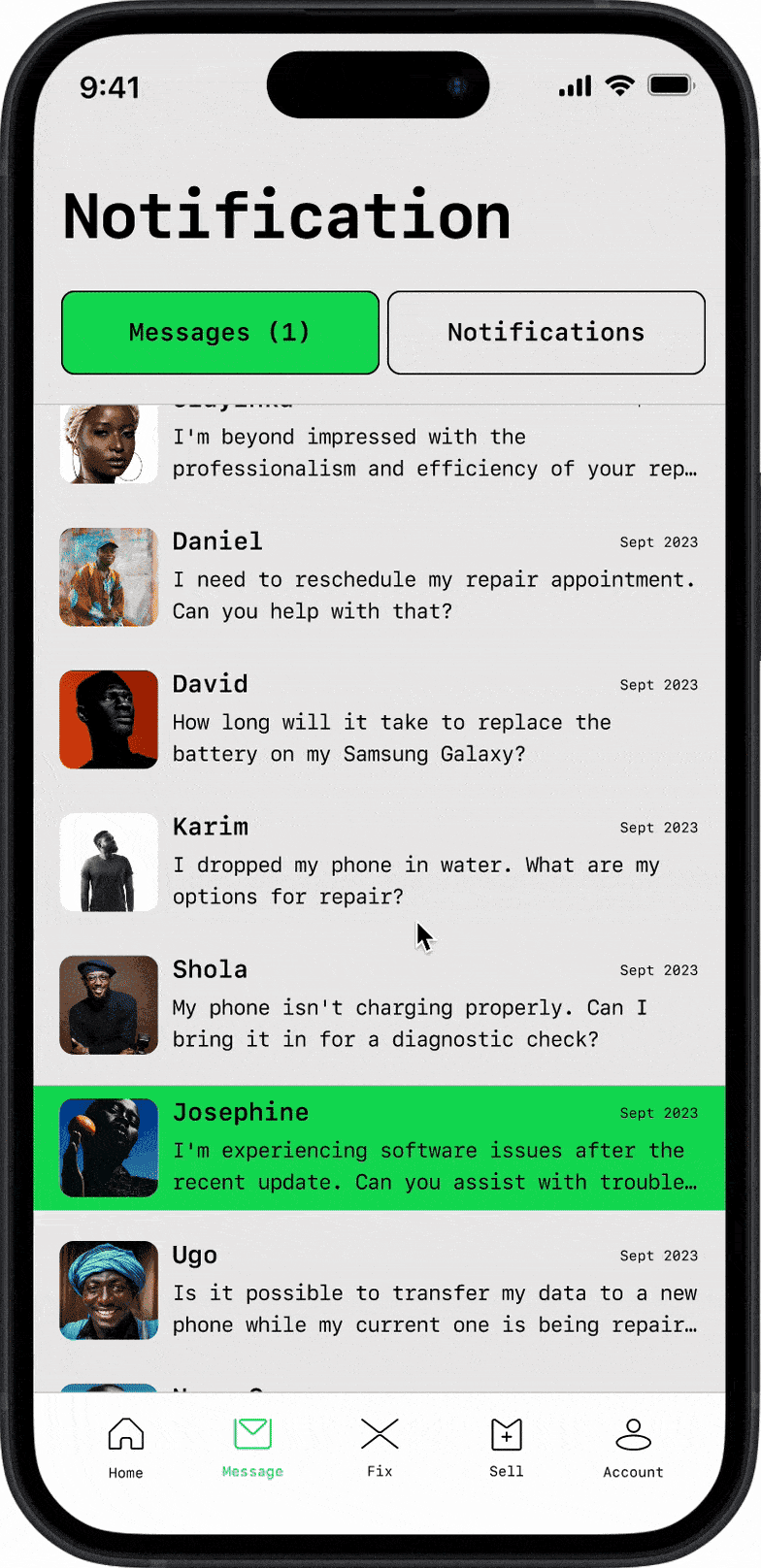
Prototype


Learn, Adapt, and Improve
I conducted a remote, unmoderated usability exercise involving a diverse group of participants, including technicians and random potential users. The results were positive, with both technicians and customers demonstrating proficiency in completing fundamental tasks with the current design. Additionally, I gathered valuable qualitative feedback, offering insights to iteratively refine and enhance the overall UI/UX.
Reflection
Collaborating with the EasyFix team posed challenges, particularly in engaging busy technicians for surveys and interviews. Limited participant availability also hindered usability testing, which could have provided more valuable feedback. Despite this, the diverse user group offered valuable insights, such as older users preferring the “favorite” section over traditional search methods. Real-world usage revealed a desire for separate interfaces for technicians and customers. However, due to time and budget constraints, I opted for a simpler design to streamline technician onboarding.
Bi-weekly meetings with Easyfix's Chief of Executive Officer and owner Arinze Adirika gave me space to share our progress, explain our design decisions, and receive feedback. Learning deeply about the product from the person who built it from the ground up was an incredible learning experience, and receiving feedback from him helped shape the course of my future greatly (thank you Arinze!). Not only was I pushed to think deeply through each decision I made, I also learned how to consider the product as a whole in tandem with business goals, KPIs, and future acquisition targets.

